10mm Continuous Buzzer PCB Mount



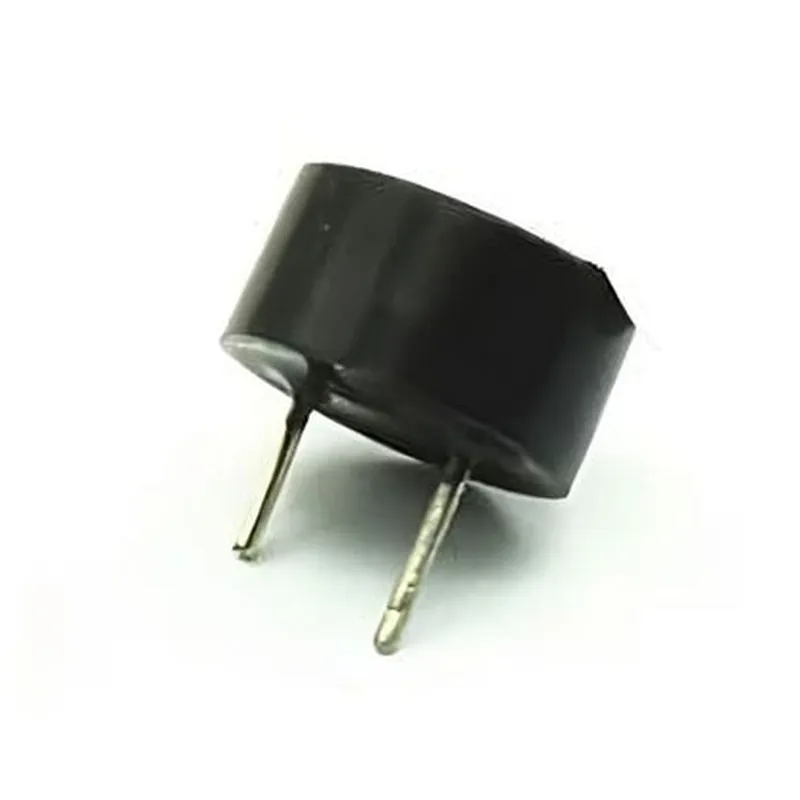
10mm Continuous Buzzer PCB Mount
The 10mm Continuous Buzzer PCB Mount is an electro-mechanical component used to produce a continuous audible sound or tone when an electric current is applied to it. This type of buzzer is specifically designed to be surface-mounted on a printed circuit board (PCB) and is commonly used in various applications, including alarm systems, security devices, and electronic instruments.
The primary function of the 10mm Continuous Buzzer PCB Mount is to convert electrical energy into a continuous audible sound or tone. When an electric current is applied to the buzzer, a small magnetic coil inside the device interacts with a metal diaphragm, causing it to vibrate and produce sound waves. The resulting sound is a continuous tone that can be used to alert users, signal events, or provide auditory feedback in various applications.
| The 10mm Continuous Buzzer PCB Mount is commonly used in a variety of applications, including |
| Parameter | Value |
| --- | --- |
| Diameter | 10mm |
| Height | 4.5mm |
| Operating Voltage | 1-12V DC |
| Current Rating | 1-5mA |
| Decibel Rating | 80-90dB |
| Operating Frequency | 1-4kHz |
| Operating Temperature | -20C to 70C |
| Storage Temperature | -30C to 80C |
| Moisture Resistance | IP40 |
The 10mm Continuous Buzzer PCB Mount is a compact, reliable, and efficient component that provides a continuous audible sound or tone when an electric current is applied. Its small size, low current consumption, and high decibel rating make it an ideal choice for various applications that require a sustained audible signal.
10mm Continuous Buzzer PCB Mount DocumentationOverviewThe 10mm Continuous Buzzer PCB Mount is a compact, high-quality buzzer designed for surface mounting on printed circuit boards (PCBs). It produces a continuous tone when an electrical signal is applied to its terminals. This component is ideal for various applications, including alarms, warning systems, and user interface feedback in IoT devices.Pinout and DimensionsThe buzzer has two pins, marked as "+" and "-", spaced 5mm apart. The device is 10mm in diameter and 7.5mm in height.Operating CharacteristicsOperating voltage: 3-24V DC
Frequency: 2.4 kHz (typical)
Sound pressure level: 85 dB (typical) at 10 cm distance
Current consumption: 20-30 mA (typical)Code Examples### Example 1: Basic Buzzer Control with ArduinoIn this example, we will connect the buzzer to an Arduino board and control it using a digital output pin.Hardware RequirementsArduino Board (e.g., Uno, Nano, etc.)
10mm Continuous Buzzer PCB Mount
Breadboard and jumper wiresSoftware RequirementsArduino IDE (version 1.8.x or later)Code
```c
const int buzzerPin = 9; // choose a digital output pinvoid setup() {
pinMode(buzzerPin, OUTPUT);
}void loop() {
// Turn the buzzer ON
digitalWrite(buzzerPin, HIGH);
delay(1000); // wait for 1 second// Turn the buzzer OFF
digitalWrite(buzzerPin, LOW);
delay(1000); // wait for 1 second
}
```
### Example 2: Buzzer Control with Raspberry Pi using PythonIn this example, we will connect the buzzer to a Raspberry Pi and control it using a Python script.Hardware RequirementsRaspberry Pi (any model)
10mm Continuous Buzzer PCB Mount
Breadboard and jumper wiresSoftware RequirementsRaspbian OS (any version)
Python 3.x (included with Raspbian)Code
```python
import RPi.GPIO as GPIO
import time# Set up GPIO mode
GPIO.setmode(GPIO.BCM)# Define the buzzer pin
buzzer_pin = 18 # choose a GPIO pin# Set up the buzzer pin as an output
GPIO.setup(buzzer_pin, GPIO.OUT)try:
while True:
# Turn the buzzer ON
GPIO.output(buzzer_pin, GPIO.HIGH)
time.sleep(1) # wait for 1 second# Turn the buzzer OFF
GPIO.output(buzzer_pin, GPIO.LOW)
time.sleep(1) # wait for 1 second
except KeyboardInterrupt:
# Clean up GPIO settings
GPIO.cleanup()
```
Important NotesMake sure to use a suitable voltage supply for the buzzer, as specified in the operating characteristics.
Use a current-limiting resistor if necessary, depending on your specific application's requirements.
The buzzer's sound pressure level may vary depending on the distance and environment.I hope this documentation is helpful! Let me know if you have any further questions.