Stufin
Home Quick Cart Profile

Soldering Iron Stand


Buy Now on Stufin

Component Name

Soldering Iron Stand
Overview

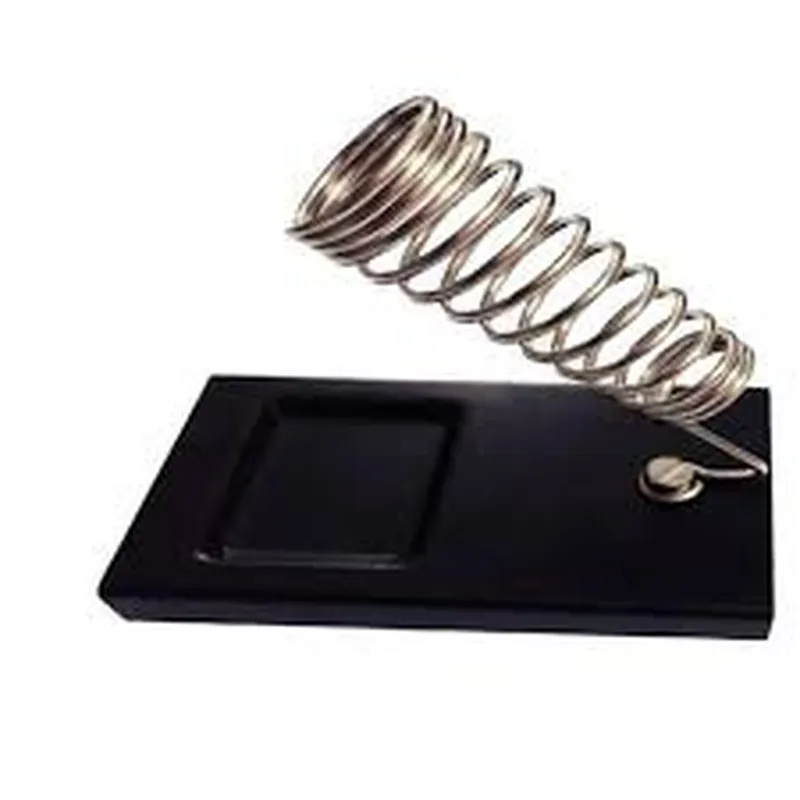
The Soldering Iron Stand is a supportive device designed to hold and organize a soldering iron, ensuring safe and efficient use during electronics projects, repairs, and manufacturing processes. This essential component is an integral part of any electronics workshop, providing a convenient and secure way to store and manage the soldering iron when not in use.
Functionality

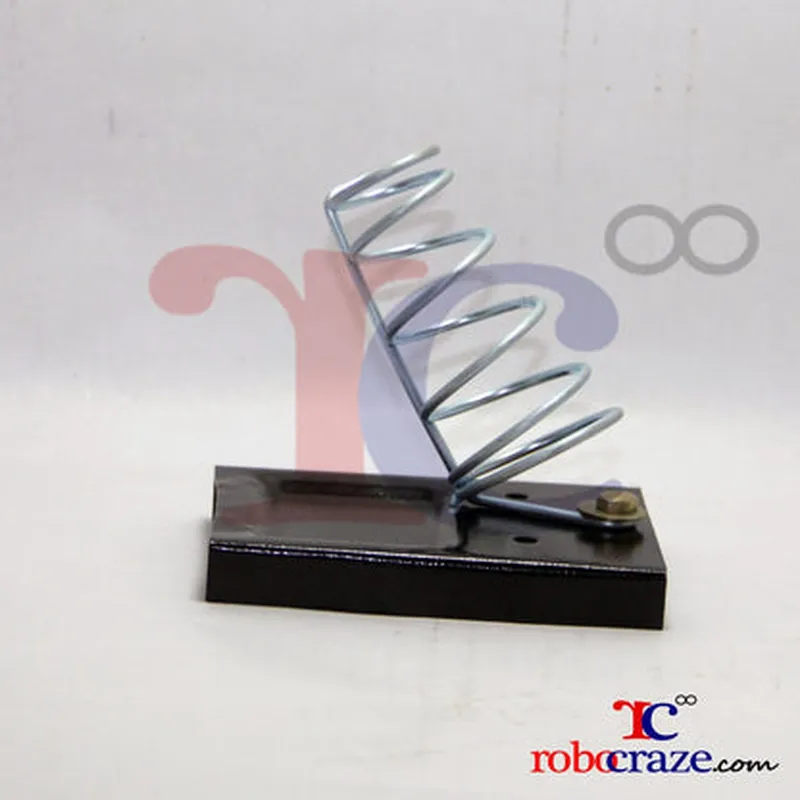
The primary function of the Soldering Iron Stand is to provide a stable and heat-resistant platform for holding the soldering iron, keeping it upright and secure. This prevents accidental burns, reduces fatigue, and minimizes the risk of damage to the iron, workbench, and surrounding components. The stand also allows for easy access to the soldering iron, making it convenient to use and store.

Key Features

  • Heat-Resistant Material: The stand is typically made from a heat-resistant material, such as fiberglass, metal, or ceramic, which can withstand high temperatures without deforming or melting.
  • Adjustable Arm: Many soldering iron stands come with an adjustable arm, allowing users to customize the height and angle of the iron to suit their specific needs.
  • Cable Management: The stand often features cable management features, such as clips or channels, to keep the power cord organized and untangled.
  • Iron Holder: The stand has a specifically designed iron holder that securely grips the soldering iron, preventing it from falling or toppling over.
  • Compact Design: The stand is designed to be compact and space-efficient, taking up minimal space on the workbench or desk.
  • Stable Base: The base of the stand is typically weighted or features a wide, stable design to prevent the stand from tipping over, ensuring the soldering iron remains secure.
  • Cooling System: Some advanced soldering iron stands may incorporate a cooling system, such as a built-in fan or ventilation, to help dissipate heat generated by the soldering iron.

Benefits

  • Improved Safety: The stand reduces the risk of accidents and injuries by keeping the soldering iron at a safe distance from flammable materials and preventing hot tips from coming into contact with the workbench or surrounding components.
  • Increased Efficiency: The stand allows for quick and easy access to the soldering iron, streamlining the workflow and reducing downtime.
  • Organization: The stand helps keep the workspace organized by providing a dedicated location for the soldering iron, reducing clutter and promoting a more efficient work environment.
  • Extended Iron Life: By keeping the soldering iron at a safe distance from the workbench and providing adequate ventilation, the stand can help extend the lifespan of the iron.

Material

Heat-resistant material (fiberglass, metal, ceramic)

Adjustability

Adjustable arm (height and angle)

Dimensions

Compact design (varies by manufacturer)

Weight

Typically lightweight and compact

Compatibility

Compatible with most standard soldering irons

Applications

  • Electronics manufacturing and repair
  • Hobbyist and DIY projects
  • Prototyping and development
  • Quality control and inspection

By providing a safe, convenient, and organized way to manage the soldering iron, the Soldering Iron Stand is an essential component in any electronics workshop or project.

Pin Configuration

  • Soldering Iron Stand Documentation
  • The Soldering Iron Stand is a convenient and safe way to store and manage your soldering iron when not in use. This documentation explains the pins and connections of the stand, making it easy to integrate with your soldering setup.
  • Pinout Description:
  • The Soldering Iron Stand has a total of 5 pins, which are labeled as follows:
  • ### Pin 1: GND (Ground)
  • Function: Provides a grounding point for the soldering iron and prevents electrical shock.
  • Connection: Connect to the grounding point of your soldering iron or the negative terminal of your power supply.
  • ### Pin 2: VCC (Power)
  • Function: Supplies power to the soldering iron stand's built-in heating element or temperature control module (if equipped).
  • Connection: Connect to the positive terminal of your power supply (e.g., 12V or 24V) or the output of a wall adapter.
  • ### Pin 3: T (Thermocouple)
  • Function: Connects to the thermocouple of the soldering iron, which measures the temperature.
  • Connection: Connect the thermocouple wire from the soldering iron to this pin. Ensure proper polarity (red wire to +, white wire to -).
  • ### Pin 4: S (Signal)
  • Function: Provides a signal output for temperature control or monitoring.
  • Connection: Connect to a microcontroller, temperature controller, or a data acquisition system to monitor the soldering iron's temperature.
  • ### Pin 5: H (Heater)
  • Function: Connects to the heating element of the soldering iron (if equipped).
  • Connection: Connect the heating element wire from the soldering iron to this pin. Ensure proper polarity.
  • Connection Structure:
  • To connect the pins, follow this structure:
  • 1. Connect GND (Pin 1) to the grounding point of your soldering iron or the negative terminal of your power supply.
  • 2. Connect VCC (Pin 2) to the positive terminal of your power supply (e.g., 12V or 24V) or the output of a wall adapter.
  • 3. Connect the thermocouple wire from the soldering iron to Pin 3 (T). Ensure proper polarity (red wire to +, white wire to -).
  • 4. Connect Pin 4 (S) to a microcontroller, temperature controller, or a data acquisition system for temperature monitoring.
  • 5. If your soldering iron has a heating element, connect the heating element wire to Pin 5 (H). Ensure proper polarity.
  • Safety Precautions:
  • Always ensure proper polarity when connecting the thermocouple and heating element wires.
  • Use proper gauge wire and insulation to prevent electrical shock or fire hazards.
  • Keep the soldering iron stand away from flammable materials and avoid overheating.
  • By following these connection instructions and safety precautions, you can safely and efficiently integrate the Soldering Iron Stand with your soldering setup.

Code Examples

Soldering Iron Stand Documentation
The Soldering Iron Stand is a handy component for IoT projects that require precision soldering. It provides a safe and stable platform for holding the soldering iron, keeping the work area organized, and preventing accidental burns or damage.
Characteristics:
Material: Durable plastic or metal construction
 Compatibility: Fits most standard soldering irons
 Features: Heat-resistant design, adjustable iron holder, and a built-in cord wrap
Code Examples:
### Example 1: Using the Soldering Iron Stand in a Simple IoT Project
In this example, we'll demonstrate how to use the Soldering Iron Stand in a basic IoT project that involves soldering components onto a PCB.
Hardware:
Soldering Iron Stand
 Soldering Iron
 PCB
 Components (e.g., LEDs, resistors, etc.)
Code:
```python
# No code is required for the Soldering Iron Stand, as it is a passive component.
# However, here's an example of how you might use Python to control an LED on the PCB:
import RPi.GPIO as GPIO
GPIO.setmode(GPIO.BCM)
GPIO.setup(17, GPIO.OUT)  # Set pin 17 as an output
while True:
    GPIO.output(17, GPIO.HIGH)  # Turn the LED on
    time.sleep(1)
    GPIO.output(17, GPIO.LOW)  # Turn the LED off
    time.sleep(1)
```
### Example 2: Integrating the Soldering Iron Stand with an Arduino Project
In this example, we'll show how to use the Soldering Iron Stand in an Arduino project that involves soldering components onto a custom PCB.
Hardware:
Soldering Iron Stand
 Soldering Iron
 Arduino Board
 Custom PCB
 Components (e.g., sensors, LEDs, etc.)
Code:
```c
// No code is required for the Soldering Iron Stand, as it is a passive component.
// However, here's an example of how you might use Arduino to read sensor data and control an LED:
const int sensorPin = A0;  // Pin for the sensor
const int ledPin = 13;   // Pin for the LED
void setup() {
  pinMode(sensorPin, INPUT);
  pinMode(ledPin, OUTPUT);
}
void loop() {
  int sensorValue = analogRead(sensorPin);
  if (sensorValue > 500) {
    digitalWrite(ledPin, HIGH);
  } else {
    digitalWrite(ledPin, LOW);
  }
  delay(100);
}
```
### Example 3: Using the Soldering Iron Stand in a Robot Arm Project
In this example, we'll demonstrate how to use the Soldering Iron Stand in a more complex IoT project that involves building a robot arm with precision soldering capabilities.
Hardware:
Soldering Iron Stand
 Soldering Iron
 Robot Arm Kit
 Microcontroller (e.g., Raspberry Pi or Arduino)
 Sensors and actuators
Code:
```python
# This example assumes you're using a Raspberry Pi as the microcontroller.
import RPi.GPIO as GPIO
import time
# Set up the GPIO pins for the robot arm's actuators
GPIO.setmode(GPIO.BCM)
GPIO.setup(17, GPIO.OUT)  # Set pin 17 as an output for the arm's motor
GPIO.setup(23, GPIO.OUT)  # Set pin 23 as an output for the arm's gripper
while True:
    # Use the Soldering Iron Stand to solder components onto the PCB
    # ...
    
    # Use the robot arm to pick up and place the PCB
    GPIO.output(17, GPIO.HIGH)  # Move the arm to the pick-up position
    time.sleep(1)
    GPIO.output(23, GPIO.HIGH)  # Open the gripper
    time.sleep(1)
    GPIO.output(17, GPIO.LOW)  # Move the arm to the place position
    time.sleep(1)
    GPIO.output(23, GPIO.LOW)  # Close the gripper
    time.sleep(1)
```
These examples demonstrate how the Soldering Iron Stand can be used in various IoT projects to provide a safe and stable platform for precision soldering.