6.3 inches (160 mm) x 2.2 inches (55 mm)


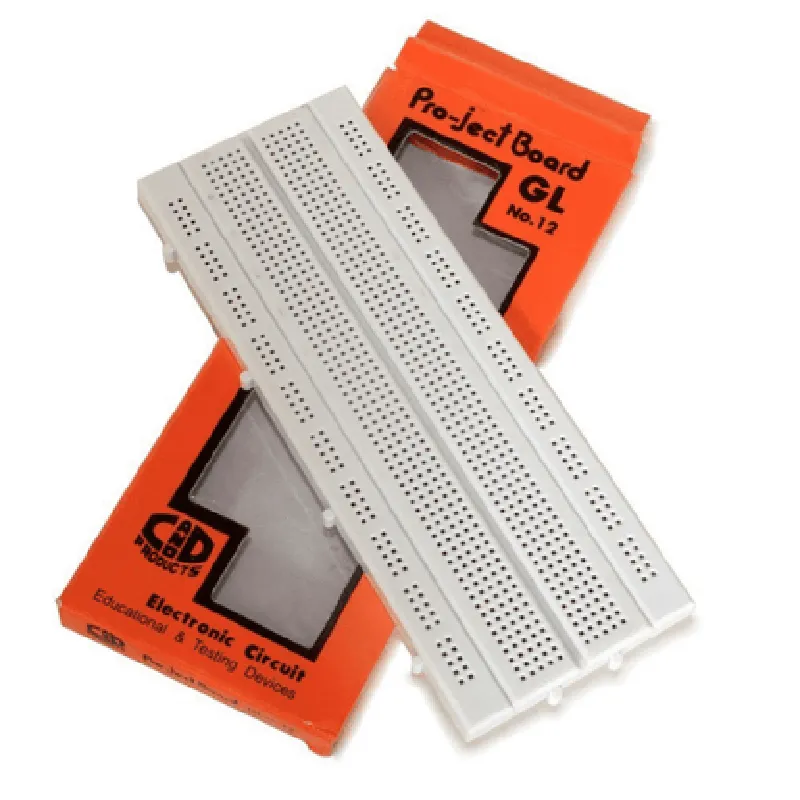
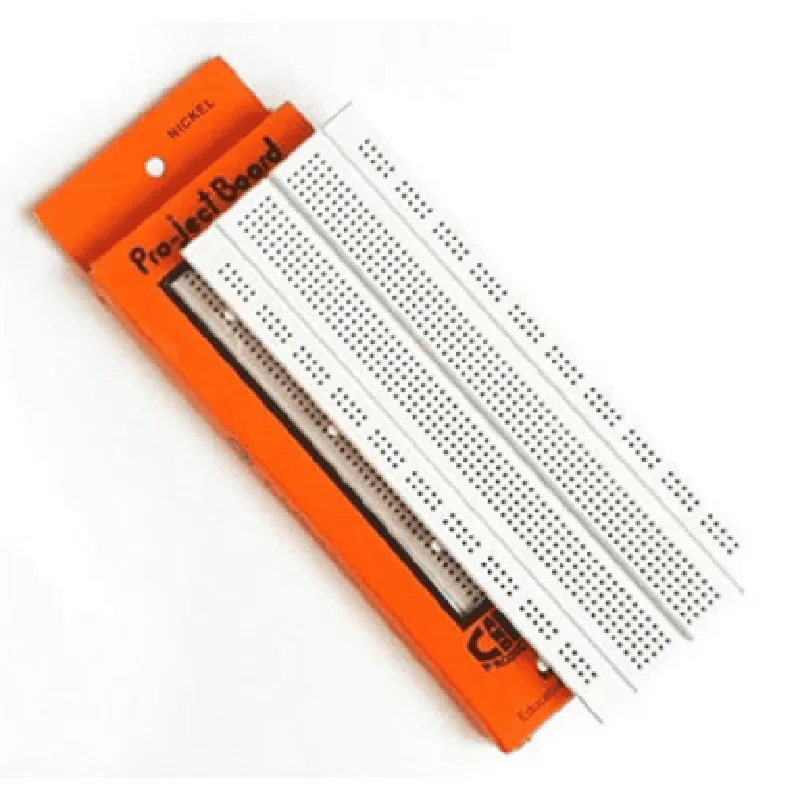
6.3 inches (160 mm) x 2.2 inches (55 mm)
840
12
70
0.1 inch (2.54 mm)
High-quality plastic and metal
-20C to 80C (-4F to 176F)
Conclusion
The GL12 840 Points Solderless Breadboard is an essential tool for anyone involved in electronic design, prototyping, and testing. Its large capacity, convenient layout, and robust construction make it an ideal choice for building and testing complex electronic circuits.
GL12 840 Points Solderless Breadboard DocumentationOverviewThe GL12 840 Points Solderless Breadboard is a versatile and convenient prototyping platform for electronics projects. It provides a large number of connection points, allowing users to easily build and test complex circuits without the need for soldering. This breadboard is ideal for prototyping, debugging, and educational projects.Features840 connection points
Solderless breadboard with 0.1" spaced holes
Large working area for complex circuits
Durable construction with high-quality terminals
Compatible with a wide range of components, including ICs, resistors, capacitors, and wire jumpersUsing the GL12 840 Points Solderless BreadboardThe GL12 840 Points Solderless Breadboard can be used in a variety of projects, from simple circuits to complex IoT devices. Here are a few code examples that demonstrate how to use this component in different contexts:Example 1: Simple LED Circuit with ArduinoIn this example, we'll use the GL12 840 Points Solderless Breadboard to build a simple LED circuit with an Arduino board.Materials:GL12 840 Points Solderless Breadboard
Arduino Uno board
LED
220 resistor
Jumper wiresCircuit Diagram:Connect the Arduino Uno board to the breadboard, then connect the LED and resistor in series between digital pin 13 and ground.Code:
```c
void setup() {
pinMode(13, OUTPUT);
}void loop() {
digitalWrite(13, HIGH);
delay(1000);
digitalWrite(13, LOW);
delay(1000);
}
```
This code will turn the LED on and off every second.Example 2: IoT Weather Station with ESP8266In this example, we'll use the GL12 840 Points Solderless Breadboard to build an IoT weather station with an ESP8266 microcontroller.Materials:GL12 840 Points Solderless Breadboard
ESP8266 microcontroller
DHT11 temperature and humidity sensor
BMP180 pressure sensor
Wi-Fi antenna
Jumper wiresCircuit Diagram:Connect the ESP8266 microcontroller to the breadboard, then connect the DHT11 and BMP180 sensors to the microcontroller. Connect the Wi-Fi antenna to the microcontroller.Code:
```c
#include <WiFi.h>
#include <DHT.h>
#include <BMP180.h>const char ssid = "your_wifi_ssid";
const char password = "your_wifi_password";DHT dht(DHT_PIN, DHT_TYPE);
BMP180 bmp;void setup() {
Serial.begin(115200);
WiFi.begin(ssid, password);
while (WiFi.status() != WL_CONNECTED) {
delay(1000);
Serial.println("Connecting to WiFi...");
}
Serial.println("Connected to WiFi");
dht.begin();
bmp.begin();
}void loop() {
float temp = dht.readTemperature();
float hum = dht.readHumidity();
float pressure = bmp.readPressure();Serial.print("Temperature: ");
Serial.print(temp);
Serial.println("C");
Serial.print("Humidity: ");
Serial.print(hum);
Serial.println("%");
Serial.print("Pressure: ");
Serial.print(pressure);
Serial.println("mbar");delay(1000);
}
```
This code will read temperature, humidity, and pressure data from the sensors and print it to the serial monitor.Example 3: Robotics Project with Raspberry PiIn this example, we'll use the GL12 840 Points Solderless Breadboard to build a robotics project with a Raspberry Pi.Materials:GL12 840 Points Solderless Breadboard
Raspberry Pi
L298N motor driver
DC motors
Jumper wiresCircuit Diagram:Connect the Raspberry Pi to the breadboard, then connect the L298N motor driver to the Raspberry Pi. Connect the DC motors to the motor driver.Code:
```python
import RPi.GPIO as GPIO
import timeGPIO.setmode(GPIO.BCM)Motor1A = 17
Motor1B = 18
Motor2A = 23
Motor2B = 24GPIO.setup(Motor1A, GPIO.OUT)
GPIO.setup(Motor1B, GPIO.OUT)
GPIO.setup(Motor2A, GPIO.OUT)
GPIO.setup(Motor2B, GPIO.OUT)while True:
GPIO.output(Motor1A, GPIO.HIGH)
GPIO.output(Motor1B, GPIO.LOW)
GPIO.output(Motor2A, GPIO.HIGH)
GPIO.output(Motor2B, GPIO.LOW)
time.sleep(1)
GPIO.output(Motor1A, GPIO.LOW)
GPIO.output(Motor1B, GPIO.HIGH)
GPIO.output(Motor2A, GPIO.LOW)
GPIO.output(Motor2B, GPIO.HIGH)
time.sleep(1)
```
This code will control the DC motors using the L298N motor driver and Raspberry Pi.These examples demonstrate the versatility of the GL12 840 Points Solderless Breadboard and its ability to be used in a wide range of projects, from simple circuits to complex IoT devices.