4x4 Membrane Keypad


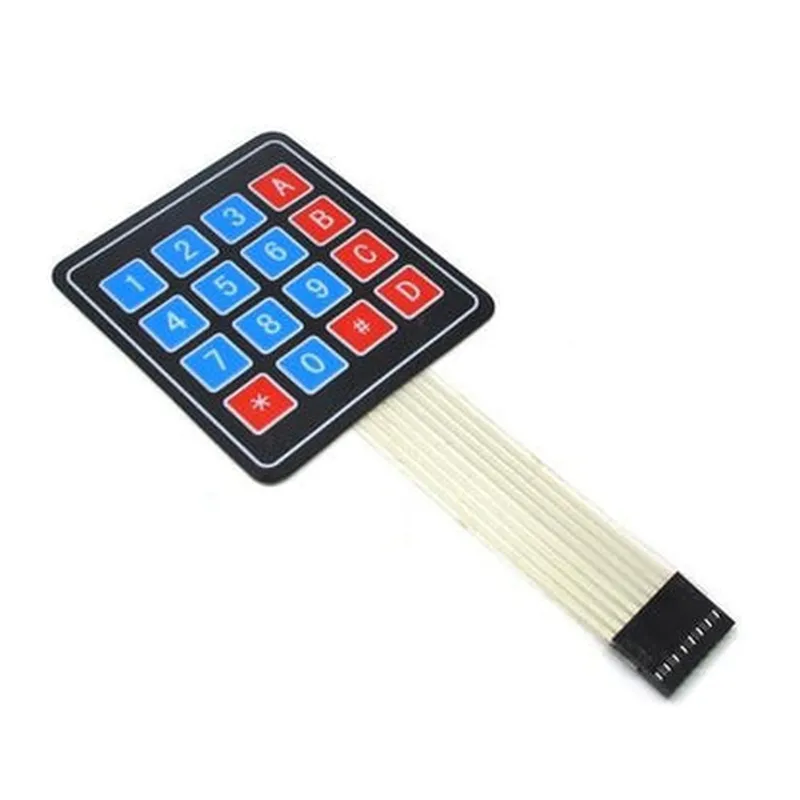
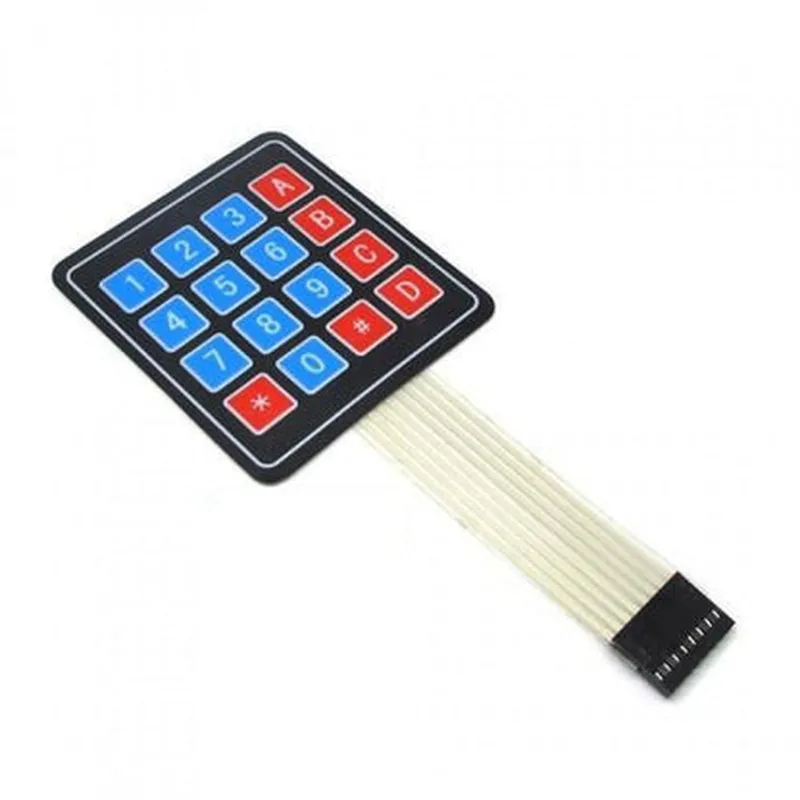
4x4 Membrane Keypad
The 4x4 Membrane Keypad is a type of electronic input device used to interact with microcontrollers, computers, and other electronic systems. It is a compact, low-cost, and widely used component in various applications, including robotics, automation, and IoT projects.
The 4x4 Membrane Keypad allows users to input commands, data, or instructions to a connected device by pressing individual keys. The keypad consists of a 4x4 matrix of 16 keys, arranged in four rows and four columns. Each key is connected to a common bus, and when a key is pressed, it makes contact with the bus, generating an electrical signal that is sent to the connected device.
5V
<5mA
>100,000 cycles
-20C to 70C
-40C to 80C
60mm x 60mm x 10mm (L x W x H)
20g
| The 4x4 Membrane Keypad is commonly used in a variety of applications, including |
Robotics and automation
IoT projects and devices
Handheld devices and wearables
Medical devices and equipment
Industrial control systems
Security systems and alarms
Consumer appliances and electronics
4x4 Membrane Keypad DocumentationOverviewThe 4x4 Membrane Keypad is a compact, low-cost, and easy-to-use input device for various IoT projects. It consists of 16 buttons arranged in a 4x4 matrix, making it an ideal solution for projects that require simple user input. This keypad is suitable for a wide range of applications, including robotics, automation, and interactive devices.PinoutThe 4x4 Membrane Keypad has a total of 8 pins:4 rows (R1-R4)
4 columns (C1-C4)Connecting the KeypadTo connect the keypad, you need to establish connections between the row and column pins and digital I/O pins on your microcontroller or development board.Example 1: Reading Keypad Input using ArduinoIn this example, we will demonstrate how to read keypad input using an Arduino Uno board.Hardware Connection:Connect the keypad row pins (R1-R4) to digital pins 2-5 on the Arduino Uno, and column pins (C1-C4) to digital pins 6-9.Software Code:
```c++
const int rowPins[] = {2, 3, 4, 5};
const int colPins[] = {6, 7, 8, 9};void setup() {
// Initialize row pins as output
for (int i = 0; i < 4; i++) {
pinMode(rowPins[i], OUTPUT);
}
// Initialize column pins as input
for (int i = 0; i < 4; i++) {
pinMode(colPins[i], INPUT);
}
}void loop() {
for (int row = 0; row < 4; row++) {
digitalWrite(rowPins[row], LOW);
for (int col = 0; col < 4; col++) {
if (digitalRead(colPins[col]) == LOW) {
// Key pressed, read the key value
int keyValue = (row 4) + col + 1;
Serial.print("Key ");
Serial.print(keyValue);
Serial.println(" pressed");
}
}
digitalWrite(rowPins[row], HIGH);
}
delay(50);
}
```
Example 2: Using the Keypad with Raspberry Pi and PythonIn this example, we will demonstrate how to use the keypad with a Raspberry Pi and Python.Hardware Connection:Connect the keypad row pins (R1-R4) to GPIO pins 17, 23, 24, and 25 on the Raspberry Pi, and column pins (C1-C4) to GPIO pins 6, 12, 13, and 16.Software Code:
```python
import RPi.GPIO as GPIO
import timeGPIO.setmode(GPIO.BCM)
rowPins = [17, 23, 24, 25]
colPins = [6, 12, 13, 16]for pin in rowPins:
GPIO.setup(pin, GPIO.OUT)
for pin in colPins:
GPIO.setup(pin, GPIO.IN, pull_up_down=GPIO.PUD_UP)while True:
for row in range(4):
GPIO.output(rowPins[row], GPIO.LOW)
for col in range(4):
if GPIO.input(colPins[col]) == GPIO.LOW:
keyValue = (row 4) + col + 1
print(f"Key {keyValue} pressed")
GPIO.output(rowPins[row], GPIO.HIGH)
time.sleep(0.05)
```
Example 3: Keypad Debouncing using interrupts (ESP32 and MicroPython)In this example, we will demonstrate how to debounce the keypad input using interrupts on an ESP32 board with MicroPython.Hardware Connection:Connect the keypad row pins (R1-R4) to GPIO pins 18, 19, 20, and 21 on the ESP32, and column pins (C1-C4) to GPIO pins 2, 4, 5, and 16.Software Code:
```python
import machine
import utimerowPins = [machine.Pin(18, machine.Pin.OUT), machine.Pin(19, machine.Pin.OUT),
machine.Pin(20, machine.Pin.OUT), machine.Pin(21, machine.Pin.OUT)]
colPins = [machine.Pin(2, machine.Pin.IN, machine.Pin.PULL_UP), machine.Pin(4, machine.Pin.IN, machine.Pin.PULL_UP),
machine.Pin(5, machine.Pin.IN, machine.Pin.PULL_UP), machine.Pin(16, machine.Pin.IN, machine.Pin.PULL_UP)]def irq_handler(pin):
global keyValue
row = 0
for rowPin in rowPins:
rowPin.value(0)
for colPin in colPins:
if colPin.value() == 0:
keyValue = (row 4) + colPins.index(colPin) + 1
print(f"Key {keyValue} pressed")
rowPin.value(1)
row += 1for colPin in colPins:
colPin.irq(irq_handler, machine.Pin.IRQ_FALLING)while True:
utime.sleep(0.05)
```
These examples demonstrate how to read keypad input in different contexts. The debouncing example using interrupts on the ESP32 ensures that the keypad input is accurately read even with noisy or bouncing signals.