5V to 24V


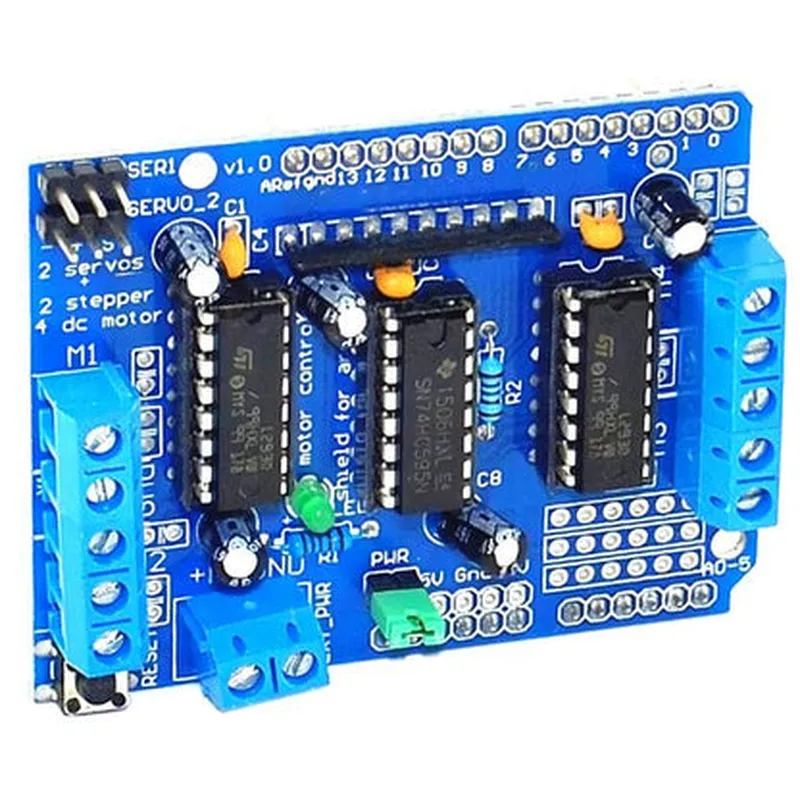
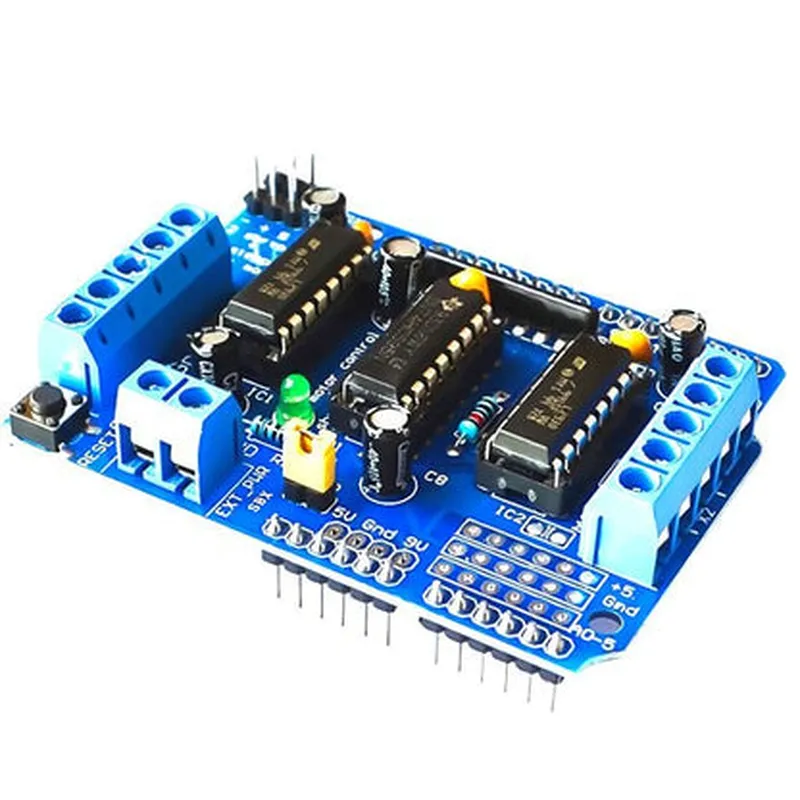
5V to 24V
Up to 1A per channel (peak 2A)
| L293D Driver IC | Texas Instruments L293D |
Uno, Duemilanove, Mega, and other Arduino boards
69.5mm x 53.3mm (2.73" x 2.1")
Applications
| The Arduino L293D Motor Driver Shield is suitable for a wide range of applications, including |
Robotics and robotic arms
Automated systems and IoT projects
Motorized wheelchairs and mobility aids
Industrial automation and control systems
Hobbyist projects, such as motorized platforms and camera systems
Overall, the Arduino L293D Motor Driver Shield is a reliable and versatile motor control solution, making it an ideal choice for anyone working with motors and Arduino boards.
Arduino L293D Motor Driver Shield DocumentationThe Arduino L293D Motor Driver Shield is a versatile and powerful component designed to control DC motors and stepper motors with ease. This shield is based on the L293D H-bridge motor driver IC, which allows for bidirectional motor control, making it an ideal choice for robotics, automation, and IoT projects.Technical Specifications:Motor Driver IC: L293D
Operating Voltage: 5V
Motor Voltage: 4.5V to 36V
Peak Current: 1A per channel
Continuous Current: 0.5A per channel
Logic Input Voltage: 5VPinout:The Arduino L293D Motor Driver Shield has the following pinout:VIN: External power source for motors (4.5V to 36V)
GND: Ground connection
ENA: Enable pin for motor 1
IN1: Input pin for motor 1 direction
IN2: Input pin for motor 1 direction
OUT1: Output pin for motor 1
OUT2: Output pin for motor 1
ENB: Enable pin for motor 2
IN3: Input pin for motor 2 direction
IN4: Input pin for motor 2 direction
OUT3: Output pin for motor 2
OUT4: Output pin for motor 2
SCL: I2C clock line (not used by the motor driver)
SDA: I2C data line (not used by the motor driver)Code Examples:### Example 1: Basic DC Motor ControlIn this example, we'll demonstrate how to control a single DC motor using the L293D Motor Driver Shield.```c
const int enablePin = 2; // Enable pin for motor 1
const int in1Pin = 3; // Input pin for motor 1 direction
const int in2Pin = 4; // Input pin for motor 1 directionvoid setup() {
pinMode(enablePin, OUTPUT);
pinMode(in1Pin, OUTPUT);
pinMode(in2Pin, OUTPUT);
}void loop() {
// Set motor direction clockwise
digitalWrite(in1Pin, HIGH);
digitalWrite(in2Pin, LOW);// Set motor speed to 50%
analogWrite(enablePin, 128);delay(2000);// Set motor direction counterclockwise
digitalWrite(in1Pin, LOW);
digitalWrite(in2Pin, HIGH);// Set motor speed to 50%
analogWrite(enablePin, 128);delay(2000);
}
```### Example 2: Controlling Two DC MotorsIn this example, we'll demonstrate how to control two DC motors using the L293D Motor Driver Shield.```c
const int enablePin1 = 2; // Enable pin for motor 1
const int in1Pin1 = 3; // Input pin for motor 1 direction
const int in2Pin1 = 4; // Input pin for motor 1 directionconst int enablePin2 = 5; // Enable pin for motor 2
const int in1Pin2 = 6; // Input pin for motor 2 direction
const int in2Pin2 = 7; // Input pin for motor 2 directionvoid setup() {
pinMode(enablePin1, OUTPUT);
pinMode(in1Pin1, OUTPUT);
pinMode(in2Pin1, OUTPUT);pinMode(enablePin2, OUTPUT);
pinMode(in1Pin2, OUTPUT);
pinMode(in2Pin2, OUTPUT);
}void loop() {
// Set motor 1 direction clockwise
digitalWrite(in1Pin1, HIGH);
digitalWrite(in2Pin1, LOW);// Set motor 1 speed to 50%
analogWrite(enablePin1, 128);// Set motor 2 direction counterclockwise
digitalWrite(in1Pin2, LOW);
digitalWrite(in2Pin2, HIGH);// Set motor 2 speed to 50%
analogWrite(enablePin2, 128);delay(2000);// Change motor directions
digitalWrite(in1Pin1, LOW);
digitalWrite(in2Pin1, HIGH);digitalWrite(in1Pin2, HIGH);
digitalWrite(in2Pin2, LOW);delay(2000);
}
```These code examples demonstrate the basic usage of the Arduino L293D Motor Driver Shield. You can modify and extend these examples to suit your specific project requirements.