Stufin
Home Quick Cart Profile

5mm Green Led (Pack of 10)

Buy Now on Stufin

Component Name

5mm Green LED (Pack of 10)


Description

The 5mm Green LED is a light-emitting diode (LED) component that emits green light when an electric current passes through it. This component is commonly used in various electronic circuits, prototypes, and projects to indicate status, provide visual feedback, or create visual effects. The pack of 10 LEDs offers a convenient and cost-effective solution for designers and developers working on multiple projects or requiring a bulk supply.

Functionality

The primary function of the 5mm Green LED is to convert electrical energy into light energy. When a forward bias voltage is applied to the LED, the electrons recombine with holes, releasing energy in the form of green light. The LED acts as a unidirectional light source, emitting light in a particular direction.

Key Features

  • Color: The LED emits green light, making it suitable for applications requiring a distinct visual indicator.
  • Size: The component has a diameter of 5mm, making it compact and easy to integrate into most electronic designs.
  • Packaging: The LEDs are packaged individually, with 10 pieces per pack, allowing for convenient storage and usage.
  • Forward Voltage: The typical forward voltage of the LED is around 1.8-2.2V, with a maximum rating of 2.5V.
  • Forward Current: The recommended forward current is 10-20mA, with a maximum rating of 30mA.
  • Luminous Intensity: The LED has a luminous intensity of around 100-150 mcd (millicandela), providing a moderate level of brightness.
  • Viewing Angle: The LED has a viewing angle of 30-40 degrees, indicating the angle at which the light is emitted.
  • Operating Temperature: The component can operate within a temperature range of -20C to 80C, making it suitable for most electronic applications.
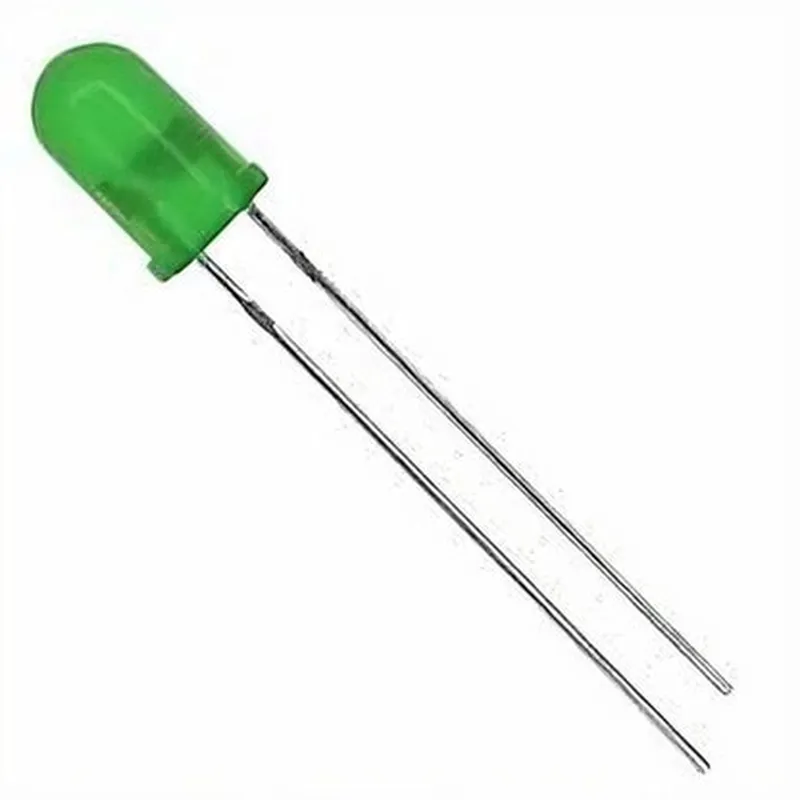
  • Polarity: The LED has a positive (anode) and negative (cathode) leg, with the longer leg typically indicating the anode.

Applications

  • Indicator Lights: Use the 5mm Green LED as an indicator light in electronic projects, such as power-on indicators, status lights, or signal indicators.
  • Prototyping: The LED is ideal for prototyping and proof-of-concept projects, allowing designers to quickly test and validate their ideas.
  • Art and Design: The green LED can be used in art installations, decorative designs, or ambient lighting projects to create a unique visual effect.
  • Robotics and Automation: The component can be used in robotics and automation projects to indicate sensor status, motor activity, or other system states.

Important Notes

  • Handling: Handle the LEDs with care to avoid damage or electrostatic discharge (ESD).
  • Voltage and Current: Ensure the voltage and current supplied to the LED are within the recommended ratings to prevent damage or premature failure.
  • Polarity: Connect the LED with the correct polarity (anode to positive, cathode to negative) to avoid damage or incorrect operation.

By understanding the features, functionality, and applications of the 5mm Green LED, designers and developers can effectively integrate this component into their projects, ensuring reliable and efficient operation.

Pin Configuration

  • 5mm Green LED (Pack of 10) Component Documentation
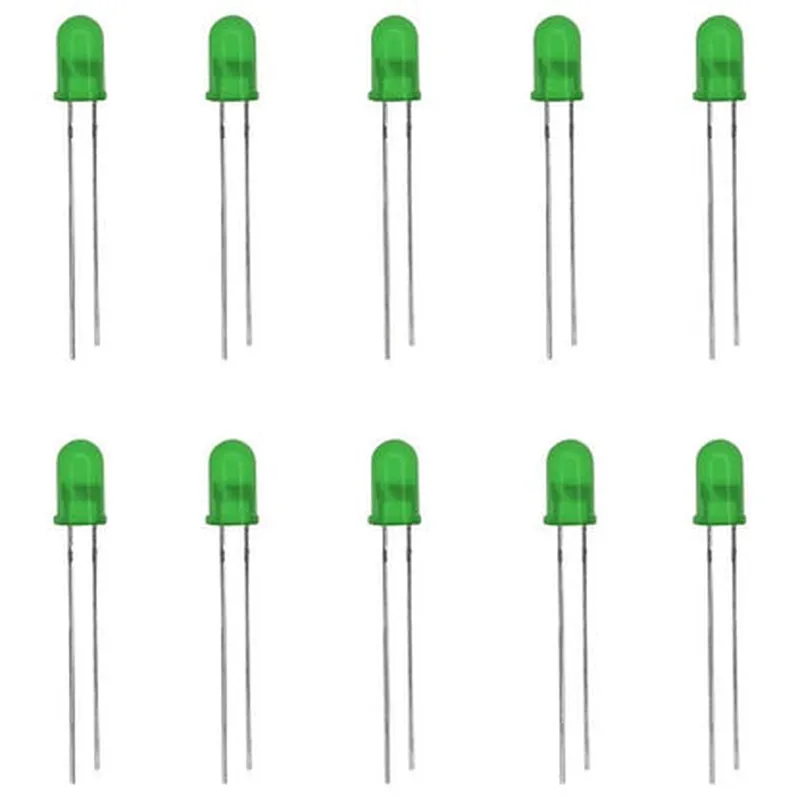
  • Pins Explanation:
  • The 5mm Green LED has two pins, which are:
  • ### 1. Anode (Positive Leg)
  • The anode pin is the longer leg of the LED and is marked with a slight curve or a flat edge on the plastic casing. This pin is responsible for receiving the positive voltage.
  • ### 2. Cathode (Negative Leg)
  • The cathode pin is the shorter leg of the LED and is typically marked with a bevel or a sharp edge on the plastic casing. This pin is responsible for receiving the negative voltage.
  • Pin Connection Structure:
  • To connect the 5mm Green LED properly, follow the steps below:
  • Step 1: Determine the Voltage Requirements
  • Check the voltage rating of the LED, which is usually specified in the datasheet. For a standard 5mm Green LED, the typical voltage rating is around 1.8-2.5V.
  • Step 2: Connect the Anode (Positive Leg)
  • Connect the anode pin to the positive voltage source. This can be a digital output pin of a microcontroller, a voltage regulator, or a battery.
  • Ensure the positive voltage source does not exceed the rated voltage of the LED.
  • Step 3: Connect the Cathode (Negative Leg)
  • Connect the cathode pin to the negative voltage source or ground. This can be a digital ground pin of a microcontroller, a voltage regulator, or a battery negative terminal.
  • Ensure the negative voltage source or ground is properly connected to prevent any voltage mismatch.
  • Step 4: Add a Current-Limiting Resistor (Optional but Recommended)
  • To prevent the LED from drawing excessive current and burning out, it is recommended to add a current-limiting resistor in series with the LED.
  • Calculate the required resistor value using Ohm's law, taking into account the LED's voltage rating, desired current, and supply voltage.
  • Example Connection Diagram:
  • Assuming a 5V power source and a desire to limit the current to 10mA, the connection diagram would be:
  • Anode (Positive Leg) 5V Power Source 1k Resistor Cathode (Negative Leg) Ground
  • Important Notes:
  • Always check the datasheet for specific voltage and current ratings of the LED.
  • Use proper soldering techniques and insulation to prevent short circuits or electrical shock.
  • Ensure the LED is properly seated and aligned in the circuit to prevent overheating or mechanical damage.
  • By following these steps and guidelines, you can successfully connect the 5mm Green LED and integrate it into your IoT project.

Code Examples

5mm Green LED (Pack of 10) Documentation
Component Overview
The 5mm Green LED is a standard through-hole LED component, suitable for a wide range of IoT projects. This pack of 10 LEDs provides an affordable and convenient solution for prototyping and development.
Component Specifications
LED Type: 5mm Through-Hole
 Color: Green
 Forward Voltage: 2.0-2.5V
 Forward Current: 20mA
 Luminous Intensity: 100-150mcd
 Viewing Angle: 30-40 degrees
 Operating Temperature: -25C to 85C
Code Examples
### Example 1: Basic LED Blinking using Arduino
In this example, we will connect the 5mm Green LED to an Arduino board and create a simple blinking effect.
Hardware Requirements
Arduino Board (e.g., Arduino Uno)
 5mm Green LED (from the pack of 10)
 220 Resistor
 Breadboard and jumper wires
Code
```c
const int ledPin = 13; // choose a digital pin for the LED
void setup() {
  pinMode(ledPin, OUTPUT);
}
void loop() {
  digitalWrite(ledPin, HIGH); // turn the LED on
  delay(1000); // wait for 1 second
  digitalWrite(ledPin, LOW); // turn the LED off
  delay(1000); // wait for 1 second
}
```
Explanation
In this example, we connect the 5mm Green LED to digital pin 13 of the Arduino board through a 220 resistor. In the `setup()` function, we set the pin as an output. In the `loop()` function, we toggle the LED on and off using `digitalWrite()` with a 1-second delay between each state.
### Example 2: RGB LED Strip Control using Raspberry Pi (Python)
In this example, we will connect the 5mm Green LED to a Raspberry Pi and control it as part of an RGB LED strip using Python.
Hardware Requirements
Raspberry Pi (e.g., Raspberry Pi 4)
 5mm Green LED (from the pack of 10)
 RGB LED Strip (with separate connections for each color)
 Breadboard and jumper wires
 Power supply for the LED strip
Code
```python
import RPi.GPIO as GPIO
import time
# Set up GPIO mode
GPIO.setmode(GPIO.BCM)
# Define LED pin assignments
green_led_pin = 17
# Set up LED pin as output
GPIO.setup(green_led_pin, GPIO.OUT)
try:
    while True:
        # Turn green LED on
        GPIO.output(green_led_pin, GPIO.HIGH)
        time.sleep(1)
        # Turn green LED off
        GPIO.output(green_led_pin, GPIO.LOW)
        time.sleep(1)
except KeyboardInterrupt:
    # Clean up GPIO on exit
    GPIO.cleanup()
```
Explanation
In this example, we connect the 5mm Green LED to GPIO pin 17 of the Raspberry Pi board. We use the RPi.GPIO library to control the LED. In the main loop, we toggle the green LED on and off using `GPIO.output()` with a 1-second delay between each state.
Note: These code examples are for illustration purposes only and may require modifications to work with specific IoT projects. Always ensure proper circuit design, component selection, and safety precautions when working with electronics.