Input voltage pin (5V to 36V)


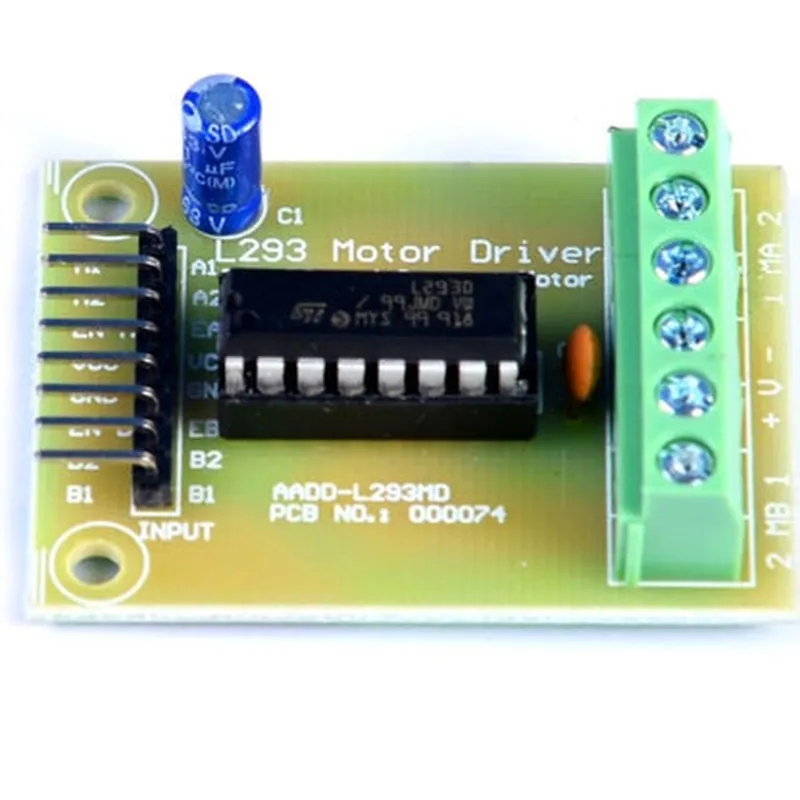
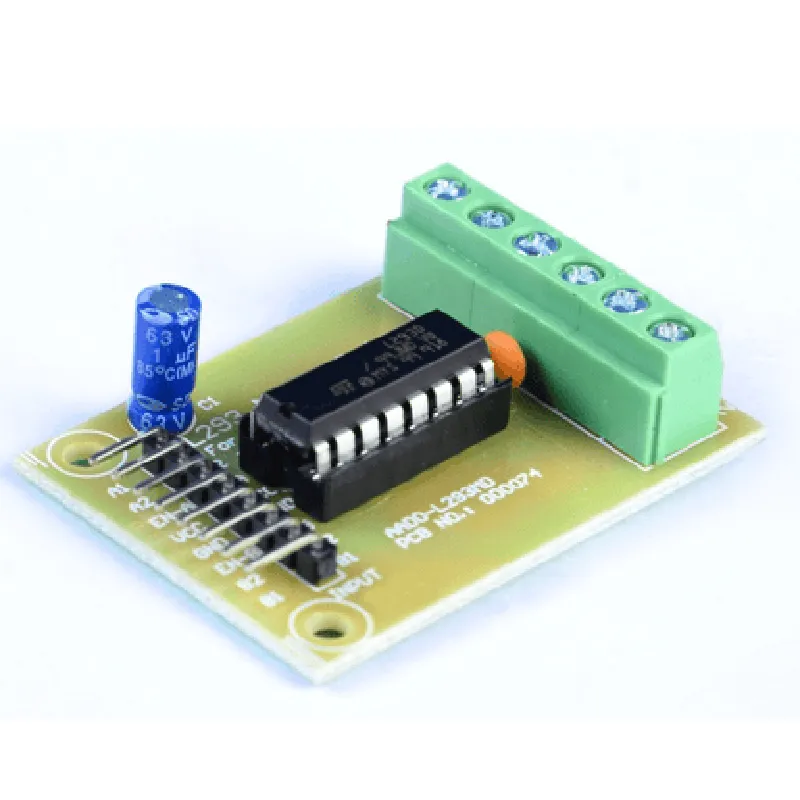
Input voltage pin (5V to 36V)
Ground pin
| ENA1 and ENA2 | Enable pins for Motor 1 and Motor 2, respectively |
| IN1 and IN2 | Input pins for direction and speed control of Motor 1 |
| IN3 and IN4 | Input pins for direction and speed control of Motor 2 |
| OUT1 and OUT2 | Output pins for Motor 1 |
| OUT3 and OUT4 | Output pins for Motor 2 |
Applications
| The L293D Motor Driver Board is suitable for a wide range of applications, including |
Robotics and robotic arms
Automated guided vehicles (AGVs)
Industrial automation
IoT projects
DIY electronics projects
Conclusion
The L293D Motor Driver Board is a versatile and reliable component for controlling DC motors in various applications. Its compact design, high current capability, and bidirectional control make it an ideal choice for robotics, automation, and IoT projects. With its ease of use and straightforward connections, the L293D Motor Driver Board is a popular choice among hobbyists and professionals alike.
L293D Motor Driver Board DocumentationOverviewThe L293D Motor Driver Board is a popular and widely used motor driver IC for controlling DC motors and stepper motors in IoT projects. It is a dual H-bridge motor driver IC that can handle two DC motors or one stepper motor. The L293D provides an efficient and reliable way to drive motors with a maximum current rating of 1A per channel.Pinout and Pin FunctionsThe L293D Motor Driver Board has a total of 16 pins, which are:| Pin No. | Pin Name | Function |
| --- | --- | --- |
| 1-4 | VCC, GND, VCC, GND | Power supply and ground |
| 5-6 | IN1, IN2 | Input pins for motor A |
| 7-8 | OUT1, OUT2 | Output pins for motor A |
| 9-10 | IN3, IN4 | Input pins for motor B |
| 11-12 | OUT3, OUT4 | Output pins for motor B |
| 13-16 | ENA, GND, ENB, GND | Enable pins and ground |Code ExamplesHere are a few code examples to demonstrate how to use the L293D Motor Driver Board in various contexts:Example 1: Controlling a Single DC Motor using ArduinoIn this example, we will use the L293D Motor Driver Board to control a single DC motor using an Arduino board.```c
const int motorIn1 = 2; // Pin 2 connected to IN1 of L293D
const int motorIn2 = 3; // Pin 3 connected to IN2 of L293D
const int enableA = 9; // Pin 9 connected to ENA of L293Dvoid setup() {
pinMode(motorIn1, OUTPUT);
pinMode(motorIn2, OUTPUT);
pinMode(enableA, OUTPUT);
}void loop() {
// Set motor direction and speed
digitalWrite(motorIn1, HIGH);
digitalWrite(motorIn2, LOW);
analogWrite(enableA, 128); // 50% duty cycledelay(2000);// Change motor direction and speed
digitalWrite(motorIn1, LOW);
digitalWrite(motorIn2, HIGH);
analogWrite(enableA, 255); // 100% duty cycledelay(2000);
}
```In this example, we use the Arduino's digital pins to control the input pins of the L293D Motor Driver Board, and the analogWrite function to set the motor speed using PWM.Example 2: Controlling Two DC Motors using Raspberry PiIn this example, we will use the L293D Motor Driver Board to control two DC motors using a Raspberry Pi.```python
import RPi.GPIO as GPIO
import time# Set up GPIO mode
GPIO.setmode(GPIO.BCM)# Define motor pins
motorA_in1 = 17
motorA_in2 = 23
motorA_enable = 24
motorB_in1 = 20
motorB_in2 = 21
motorB_enable = 25# Set up motor pins as outputs
GPIO.setup(motorA_in1, GPIO.OUT)
GPIO.setup(motorA_in2, GPIO.OUT)
GPIO.setup(motorA_enable, GPIO.OUT)
GPIO.setup(motorB_in1, GPIO.OUT)
GPIO.setup(motorB_in2, GPIO.OUT)
GPIO.setup(motorB_enable, GPIO.OUT)while True:
# Set motor directions and speeds
GPIO.output(motorA_in1, GPIO.HIGH)
GPIO.output(motorA_in2, GPIO.LOW)
GPIO.output(motorA_enable, GPIO.HIGH)GPIO.output(motorB_in1, GPIO.LOW)
GPIO.output(motorB_in2, GPIO.HIGH)
GPIO.output(motorB_enable, GPIO.HIGH)time.sleep(2)# Change motor directions and speeds
GPIO.output(motorA_in1, GPIO.LOW)
GPIO.output(motorA_in2, GPIO.HIGH)
GPIO.output(motorA_enable, GPIO.HIGH)GPIO.output(motorB_in1, GPIO.HIGH)
GPIO.output(motorB_in2, GPIO.LOW)
GPIO.output(motorB_enable, GPIO.HIGH)time.sleep(2)
```In this example, we use the RPi.GPIO library to control the GPIO pins of the Raspberry Pi, which are connected to the input pins of the L293D Motor Driver Board. We set the motor directions and speeds using the output functions of the GPIO library.