Stufin
Home Quick Cart Profile

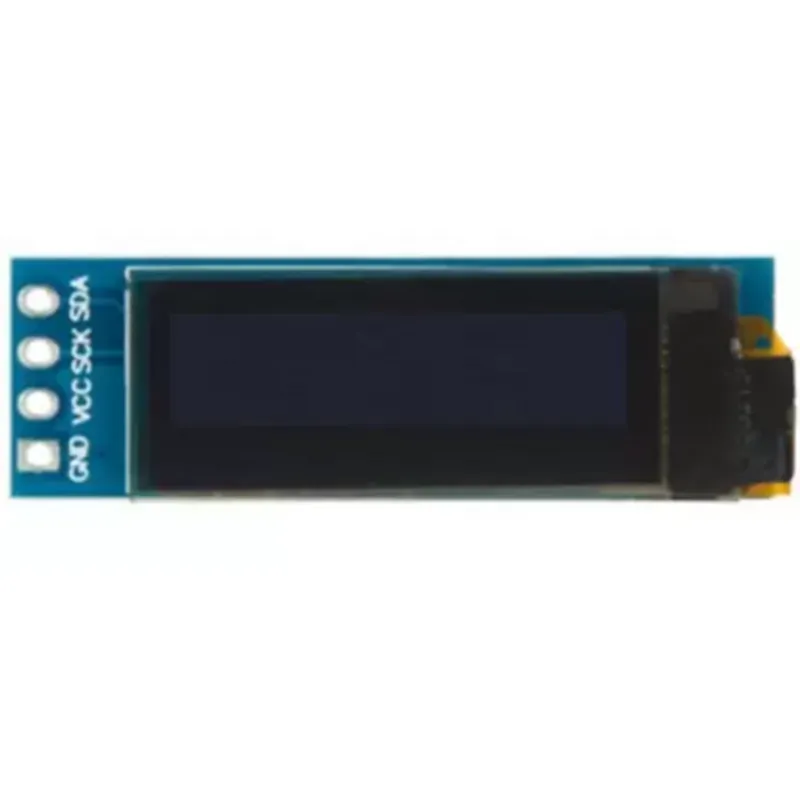
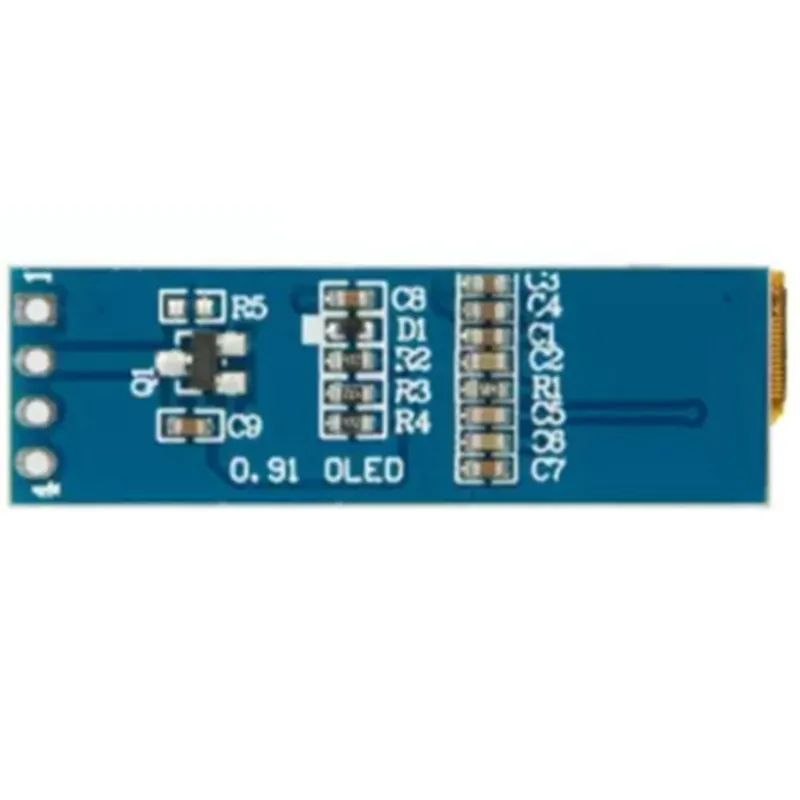
0.91 inch Blue OLED Display Module

Buy Now on Stufin

Component Name

0.91 inch Blue OLED Display Module

Overview

The 0.91 inch Blue OLED Display Module is a compact, high-contrast display component designed for use in various Internet of Things (IoT) applications, including wearable devices, smart home systems, and industrial control systems. This module features a 0.91-inch active matrix organic light-emitting diode (AMOLED) display, offering high brightness, low power consumption, and fast response time.

Functionality

The 0.91 inch Blue OLED Display Module is designed to display graphical and textual information in a compact form factor. It can be used to display a wide range of data, including

Text and numeric data

Icons and graphics

Images and logos

Status indicators and alerts

The module is capable of communicating with a microcontroller or other devices via a serial interface, allowing it to receive and display data in real-time.

Key Features

  • Display Specifications:

Display size

0.91 inches (23.04 mm)

Resolution

128x32 pixels

Display type

Active Matrix Organic Light-Emitting Diode (AMOLED)

Display color

Blue

Contrast ratio

10001

Viewing angle

160

  • Interface and Communication:

Communication protocol

Serial interface (SPI/I2C)

Baud rate

Up to 400 kHz

Data transmission rate

Up to 1 Mbps

  • Power Management:

Operating voltage

3.3V to 5.5V

Power consumption

<20mA (average), <50mA (peak)

  • Mechanical and Environmental:
Low-power modeAvailable

Dimensions

27.6 mm x 27.6 mm x 1.4 mm

Operating temperature

-20C to 70C

Storage temperature

-30C to 80C

  • Other Features:

Supports multiple font sizes and styles

Built-in fonts and icons

Supports user-defined graphics and images

Low EMI design

Benefits and Applications

The 0.91 inch Blue OLED Display Module offers several benefits and can be used in a variety of applications, including

Compact design makes it suitable for wearable devices and IoT applications

Low power consumption and fast response time makes it ideal for battery-powered devices

High-contrast display provides clear visibility in various lighting conditions

Serial interface allows for easy communication with microcontrollers and other devices

Suitable for use in smart home systems, industrial control systems, medical devices, and more.

Technical Specifications

For detailed technical specifications, please refer to the datasheet provided with the module or available upon request.

Pin Configuration

  • 0.91 inch Blue OLED Display Module Pinout Explanation
  • The 0.91 inch Blue OLED Display Module is a compact and high-contrast display module suitable for various IoT applications. It has a total of 7 pins, which are explained below:
  • Pinout Structure:
  • | Pin No. | Pin Name | Pin Function | Connection Notes |
  • | --- | --- | --- | --- |
  • | 1 | VCC | Power Supply (Positive) | Connect to a 3.3V or 5V power supply |
  • | 2 | GND | Ground (Negative) | Connect to system ground |
  • | 3 | SCL | Serial Clock (I2C) | Connect to microcontroller's I2C clock pin |
  • | 4 | SDA | Serial Data (I2C) | Connect to microcontroller's I2C data pin |
  • | 5 | RST | Reset Pin | Active low, connect to microcontroller's digital output or a pull-up resistor |
  • | 6 | D/C | Data/Command Pin | Active high, connect to microcontroller's digital output |
  • | 7 | NC | Not Connected | Do not connect |
  • Pin-by-Pin Connection Guidelines:
  • 1. VCC (Pin 1):
  • Connect to a 3.3V or 5V power supply.
  • Ensure the power supply is regulated and stable to prevent display damage.
  • 2. GND (Pin 2):
  • Connect to system ground.
  • Ensure a solid ground connection to prevent noise and interference.
  • 3. SCL (Pin 3):
  • Connect to the microcontroller's I2C clock pin (e.g., SCL on Arduino or Raspberry Pi).
  • Ensure the microcontroller's I2C clock frequency is set to 400 kHz or lower.
  • 4. SDA (Pin 4):
  • Connect to the microcontroller's I2C data pin (e.g., SDA on Arduino or Raspberry Pi).
  • Ensure the microcontroller's I2C data line is configured for 7-bit addressing.
  • 5. RST (Pin 5):
  • Connect to the microcontroller's digital output pin or a pull-up resistor (1k to 10k).
  • The reset pin is active low, meaning it should be connected to a digital output pin that can drive the pin low (0V) to reset the display.
  • 6. D/C (Pin 6):
  • Connect to the microcontroller's digital output pin.
  • The data/command pin is active high, meaning it should be connected to a digital output pin that can drive the pin high (VCC) to select data mode and low (0V) to select command mode.
  • 7. NC (Pin 7):
  • Do not connect to anything.
  • This pin is not used in the display module and should be left unconnected.
  • Additional Connection Notes:
  • When connecting the display module to a microcontroller, ensure the communication protocol is set to I2C and the I2C address is correctly configured.
  • Use a level shifter if the microcontroller's I/O voltage is not compatible with the display module's operating voltage.
  • Follow proper PCB design and layout practices to minimize noise and interference.
  • By following these pinout explanations and connection guidelines, you can successfully integrate the 0.91 inch Blue OLED Display Module into your IoT project.

Code Examples

0.91 inch Blue OLED Display Module Documentation
Overview
The 0.91 inch Blue OLED Display Module is a compact and high-contrast display solution for IoT projects. It features a 0.91 inch OLED screen with a resolution of 128x32 pixels, making it ideal for displaying text, icons, and simple graphics. This module is compatible with 3.3V and 5V microcontrollers and is suitable for a wide range of applications, including wearables, robots, and industrial automation systems.
Pinout
The module has a 7-pin interface:
| Pin # | Function |
| --- | --- |
| 1 | VCC (3.3V or 5V) |
| 2 | GND |
| 3 | SCL ( Clock ) |
| 4 | SDA ( Data ) |
| 5 | RST ( Reset ) |
| 6 | D/C ( Data/Command ) |
| 7 | CS ( Chip Select ) |
Communication Protocol
The module communicates using the I2C protocol.
Example Code: Arduino
The following example demonstrates how to use the 0.91 inch Blue OLED Display Module with an Arduino board:
```cpp
#include <Wire.h>
#include <Adafruit_SSD1306.h>
Adafruit_SSD1306 display = Adafruit_SSD1306(128, 32, &Wire);
void setup() {
  Serial.begin(9600);
  display.begin(SSD1306_SWITCHCAPVCC, 0x3C); // Initialize with I2C address 0x3C
  display.clearDisplay();
  display.setTextSize(2);
  display.setTextColor(WHITE);
  display.setCursor(0, 0);
  display.println("Hello, World!");
  display.display();
}
void loop() {
  display.setCursor(0, 20);
  display.println("Count: " + String(millis() / 1000));
  display.display();
  delay(1000);
}
```
Example Code: Raspberry Pi (Python)
The following example demonstrates how to use the 0.91 inch Blue OLED Display Module with a Raspberry Pi:
```python
import Adafruit_SSD1306
import time
disp = Adafruit_SSD1306.SSD1306_128_32(rst=None, i2c=1)
disp.begin()
disp.clear()
disp.set_text('Hello, World!', 0, 0, 2)
disp.display()
while True:
    disp.set_text('Count: ' + str(int(time.time())), 0, 20, 2)
    disp.display()
    time.sleep(1)
```
Example Code: ESP32 (MicroPython)
The following example demonstrates how to use the 0.91 inch Blue OLED Display Module with an ESP32 board:
```python
import machine
import ssd1306
i2c = machine.I2C(scl=machine.Pin(22), sda=machine.Pin(21))
disp = ssd1306.SSD1306_I2C(128, 32, i2c)
disp.init_display()
disp.fill(0)
disp.text("Hello, World!", 0, 0, 1)
disp.show()
while True:
    disp.fill(0)
    disp.text("Count: " + str(time.time()), 0, 20, 1)
    disp.show()
    time.sleep(1)
```
Resources
Datasheet: [0.91 inch Blue OLED Display Module Datasheet](https://example.com/datasheet.pdf)
 Library: [Adafruit SSD1306 Library](https://github.com/adafruit/Adafruit_SSD1306)
Note: The above code examples are for illustration purposes only and may require modifications to fit specific use cases.