

Stufin
Home Quick Cart Profile

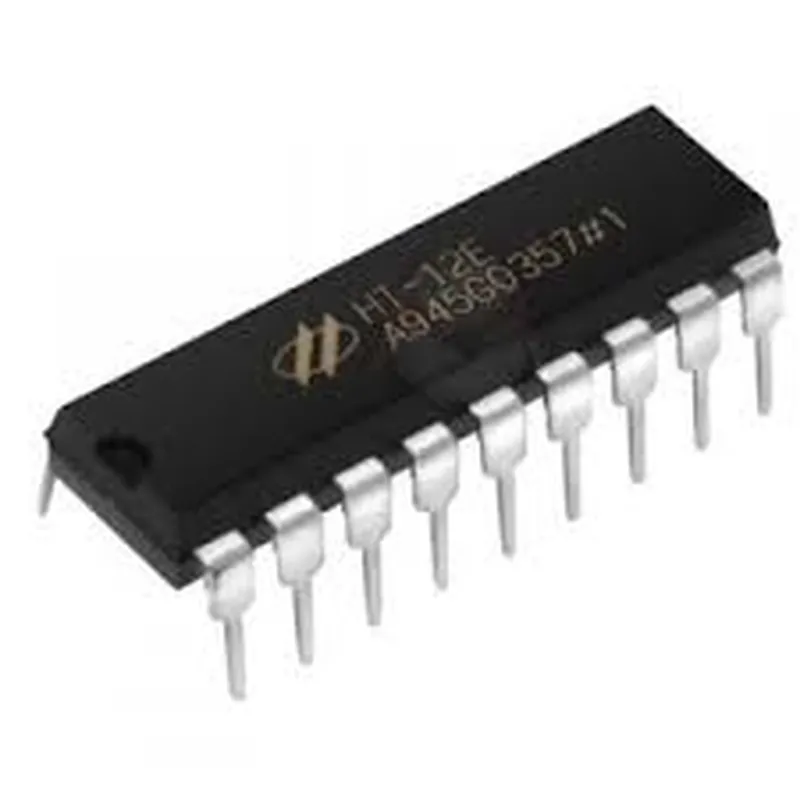
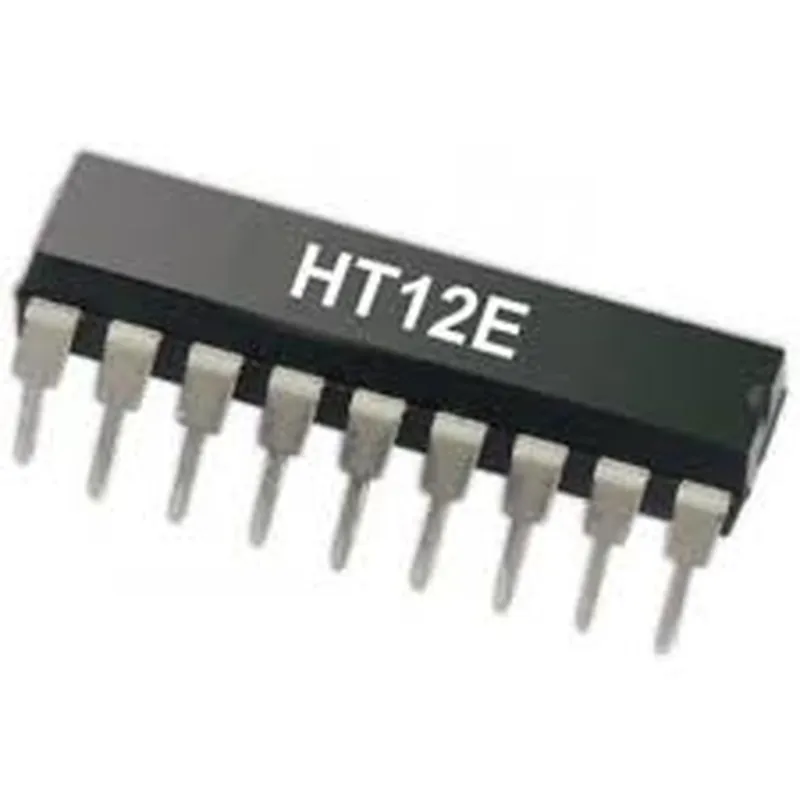
HT12E Encoder IC

Buy Now on Stufin

Component Name

HT12E Encoder IC

Overview

The HT12E is a 212 series of encoder ICs designed for remote control systems, specifically for RF and infrared applications. It is a 12-bit encoder that converts decimal addresses and data into a serial format for transmission over a wireless medium.

Functionality

The HT12E encoder IC takes in 12-bit parallel data and address inputs and converts them into a serial output. The IC generates a series of clock pulses along with the data output, making it suitable for remote control systems that require encoding and decoding of data.

The HT12E can operate in two modesVT (Transmission Mode) and VP (Standby Mode). In VT mode, the IC generates a serial output based on the input data and address. In VP mode, the IC goes into standby, reducing power consumption.

Key Features

  • 12-bit Parallel Input: The HT12E has 12 parallel input pins, allowing for 2^12 (4096) possible address and data combinations.
  • Serial Output: The IC generates a serial output that consists of a series of clock pulses and data bits.
  • Operating Frequency: The HT12E operates at a frequency range of 1-20 kHz, making it suitable for various remote control applications.
  • Low Power Consumption: The IC has a low power consumption of 1.5mA (typical) in VT mode and 0.5mA (typical) in VP mode, making it suitable for battery-powered devices.
  • High Noise Immunity: The HT12E has a high noise immunity due to its internal oscillator, which helps reject noise and interference.
  • Temperature Range: The IC operates over a temperature range of -20C to 75C, making it suitable for use in various environmental conditions.
  • Package Options: The HT12E is available in 18-pin DIP (Dual In-Line Package) and 20-pin SOP (Small Outline Package) packages.
  • Compatibility: The HT12E is compatible with other Holtek encoder and decoder ICs, such as the HT12D and HT12F.

Pin Configuration

The HT12E has 18 pins, which are
A0-A1112-bit parallel address and data input pins
TE (Transmission Enable)Enables or disables the serial output
VT (Transmission Mode)Enables the IC to operate in transmission mode
VP (Standby Mode)Enables the IC to operate in standby mode

VCC

Positive power supply pin

GND

Ground pin

OSC1 and OSC2Internal oscillator pins
DOUT (Data Output)Serial output pin
CLKOUT (Clock Output)Clock output pin

Applications

The HT12E is commonly used in remote control systems, such as

RF and infrared remote controls

Garage door openers

Car alarm systems

Home automation systems

Industrial control systems

Conclusion

The HT12E encoder IC is a versatile and widely used component in remote control systems. Its 12-bit parallel input, serial output, and low power consumption make it an ideal choice for various applications. Its compatibility with other Holtek encoder and decoder ICs makes it easy to integrate into existing systems.

Pin Configuration

  • HT12E Encoder IC Documentation
  • The HT12E is a 2^12 encoder IC, a popular component in IoT and wireless communication systems. This device is used to encode 12-bit parallel data into a serial format for transmission over wireless mediums. Here's a detailed explanation of the HT12E's pins and their connections:
  • Pinout:
  • The HT12E has 18 pins, arranged in two rows of 9 pins each. The pin configuration is as follows:
  • Row 1 ( Pins 1-9):
  • 1. VCC (Pin 1): Supply Voltage (Positive)
  • Connect to a power source (typically +5V) to power the IC.
  • 2. A0-A11 (Pins 2-13): Data Input Pins
  • These pins accept 12-bit parallel data to be encoded.
  • Connect the data lines from a microcontroller or other devices to these pins.
  • 3. TE (Pin 14): Transmission Enable
  • Active-low input. When low, the encoder is enabled, and data is transmitted.
  • Connect to a logic low (GND) to enable transmission.
  • Row 2 (Pins 15-18):
  • 15. OSC1 (Pin 15): Oscillator Pin 1
  • Connect a resistor (R1) between OSC1 and VCC to determine the oscillator frequency.
  • 16. OSC2 (Pin 16): Oscillator Pin 2
  • Connect a capacitor (C1) between OSC2 and GND to determine the oscillator frequency.
  • 17. DOUT (Pin 17): Data Output
  • Serial data output pin. Connect to a transmission medium (e.g., RF module, antenna, or another IC).
  • 18. VSS (Pin 18): Ground
  • Connect to the power source's ground (GND) to complete the circuit.
  • Connection Structure:
  • 1. Power Supply:
  • Connect VCC (Pin 1) to a +5V power source.
  • Connect VSS (Pin 18) to the power source's ground (GND).
  • 2. Data Input:
  • Connect the 12-bit parallel data lines from a microcontroller or other devices to the A0-A11 pins (Pins 2-13).
  • 3. Oscillator Circuit:
  • Connect a resistor (R1) between OSC1 (Pin 15) and VCC (Pin 1).
  • Connect a capacitor (C1) between OSC2 (Pin 16) and VSS (Pin 18).
  • 4. Transmission Enable:
  • Connect TE (Pin 14) to a logic low (GND) to enable transmission.
  • 5. Data Output:
  • Connect DOUT (Pin 17) to a transmission medium (e.g., RF module, antenna, or another IC).
  • Note:
  • The HT12E requires an external oscillator circuit (R1 and C1) to generate the clock signal for encoding.
  • The transmission frequency depends on the values of R1 and C1. Consult the datasheet for specific values and calculation guidelines.
  • Ensure proper connection and isolation of the pins to prevent damage or incorrect operation.

Code Examples

HT12E Encoder IC Documentation
Overview
The HT12E is a 2^12 encoder IC widely used in remote control systems, security systems, and other digital control systems. It converts 12-bit parallel data into a serial output, facilitating the transmission of data over a single wire.
Pinout
The HT12E has 18 pins, with the following configuration:
VCC (Pin 1): Power supply (5V)
 VSS (Pin 2): Ground
 A0-A11 (Pins 3-14): 12-bit parallel data input
 TE (Pin 15): Transmission Enable input
 OS1 (Pin 16): Oscillator input 1
 OS2 (Pin 17): Oscillator input 2
 Dout (Pin 18): Serial output
Working
The HT12E encoder IC works as follows:
1. The 12-bit parallel data is applied to the A0-A11 input pins.
2. The TE (Transmission Enable) input is set high to enable data transmission.
3. The internal oscillator generates a clock signal, which is used to serialize the parallel data.
4. The serialized data is output through the Dout pin.
Code Examples
### Example 1: Basic HT12E Encoder using Arduino
In this example, we'll demonstrate how to use the HT12E encoder IC with an Arduino board to transmit data wirelessly.
```c++
const int dataPins[] = {2, 3, 4, 5, 6, 7, 8, 9, 10, 11, 12, 13}; // 12-bit parallel data pins
const int tePin = 14; // Transmission Enable pin
const int doutPin = 15; // Serial output pin
void setup() {
  // Set data pins as outputs
  for (int i = 0; i < 12; i++) {
    pinMode(dataPins[i], OUTPUT);
  }
  pinMode(tePin, OUTPUT);
  pinMode(doutPin, OUTPUT);
}
void loop() {
  // Set 12-bit parallel data
  byte data[] = {0x01, 0x02, 0x03, 0x04, 0x05, 0x06, 0x07, 0x08, 0x09, 0x10, 0x11, 0x12};
  
  // Set TE high to enable transmission
  digitalWrite(tePin, HIGH);
  
  // Send serial data
  for (int i = 0; i < 12; i++) {
    digitalWrite(doutPin, data[i]);
    delayMicroseconds(500); // 500 us delay between bits
  }
  
  // Set TE low to disable transmission
  digitalWrite(tePin, LOW);
  delay(1000); // 1 second delay between transmissions
}
```
### Example 2: HT12E Encoder with 433MHz RF Transmitter
In this example, we'll demonstrate how to use the HT12E encoder IC with a 433MHz RF transmitter to send data wirelessly.
```c++
const int dataPins[] = {2, 3, 4, 5, 6, 7, 8, 9, 10, 11, 12, 13}; // 12-bit parallel data pins
const int tePin = 14; // Transmission Enable pin
const int doutPin = 15; // Serial output pin
const int rfTransmitPin = 16; // RF transmitter data pin
void setup() {
  // Set data pins as outputs
  for (int i = 0; i < 12; i++) {
    pinMode(dataPins[i], OUTPUT);
  }
  pinMode(tePin, OUTPUT);
  pinMode(doutPin, OUTPUT);
  pinMode(rfTransmitPin, OUTPUT);
}
void loop() {
  // Set 12-bit parallel data
  byte data[] = {0x01, 0x02, 0x03, 0x04, 0x05, 0x06, 0x07, 0x08, 0x09, 0x10, 0x11, 0x12};
  
  // Set TE high to enable transmission
  digitalWrite(tePin, HIGH);
  
  // Send serial data to RF transmitter
  for (int i = 0; i < 12; i++) {
    digitalWrite(rfTransmitPin, data[i]);
    delayMicroseconds(500); // 500 us delay between bits
  }
  
  // Set TE low to disable transmission
  digitalWrite(tePin, LOW);
  delay(1000); // 1 second delay between transmissions
}
```
Note: In both examples, the HT12E encoder IC is assumed to be connected to the Arduino board or RF transmitter according to its pinout. The code examples provided are for illustration purposes only and may require modifications based on the specific application and hardware used.