ESP-8266EX


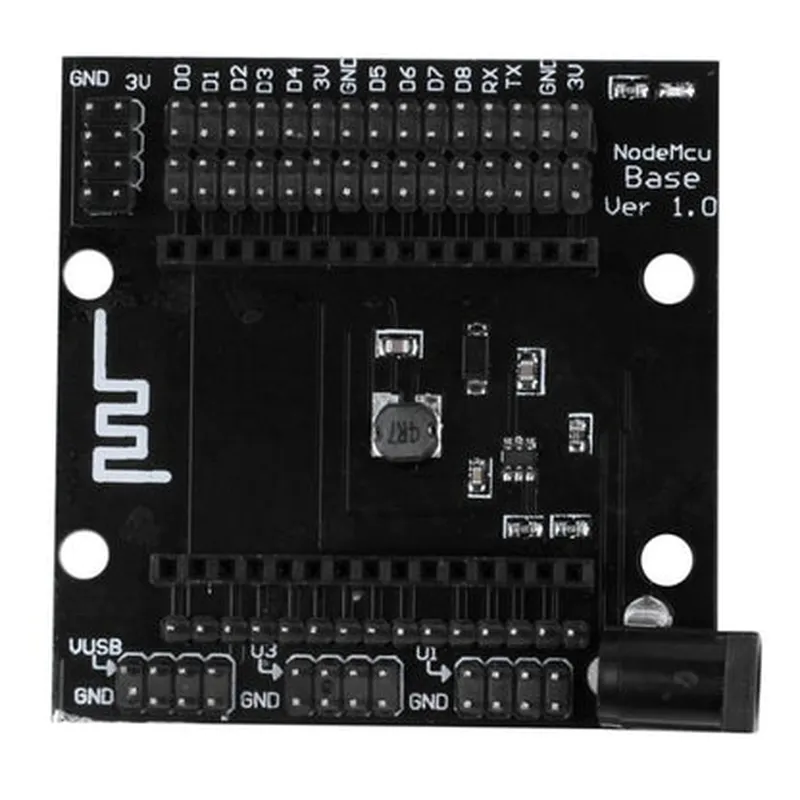
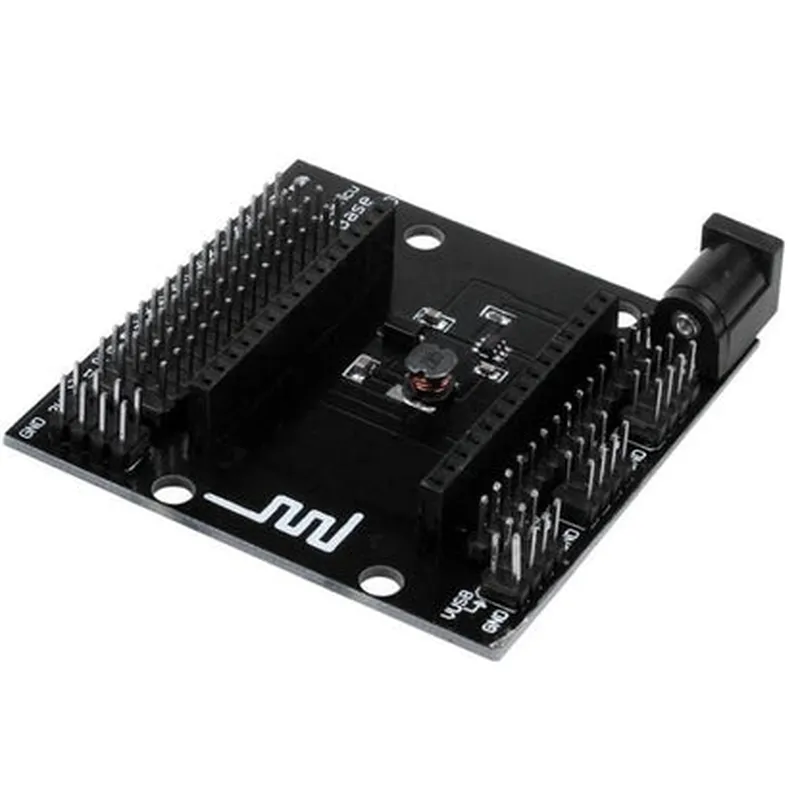
ESP-8266EX
80 MHz to 240 MHz
4MB (32Mb)
96 KB
| Wi-Fi | 802.11 b/g/n |
13
10-bit
| UART, SPI, and I2C Interfaces | Yes |
Built-in voltage regulator
Micro-USB
-40C to 85C
< 200mA (typical)
Conclusion
The Lolin Node MCU Base is a feature-rich and versatile microcontroller board that provides a cost-effective and compact platform for building IoT projects. Its Wi-Fi connectivity, microcontroller capabilities, and wide range of interfaces make it an ideal choice for a wide range of IoT applications.
Lolin Node MCU Base DocumentationThe Lolin Node MCU Base is a popular IoT component that integrates the ESP-8266 microcontroller, a Wi-Fi module, and other essential components into a single compact board. This documentation provides an overview of the component's features, specifications, and examples of how to use it in various contexts.Features and Specifications:Microcontroller: ESP-8266EX (32-bit LX6 microprocessor)
Wi-Fi Module: Integrated 802.11 b/g/n Wi-Fi module
Memory: 4MB Flash, 96KB SRAM
GPIO: 16 digital pins, 1 analog pin
USB: Micro-USB port for programming and power supply
Operating Voltage: 3.3V
Dimensions: 49mm x 25mmExample 1: Wi-Fi Connected LED BlinkThis example demonstrates how to connect the Lolin Node MCU Base to a Wi-Fi network and control an LED using the built-in GPIO pins.```c
#include <WiFi.h>const char ssid = "your_wifi_ssid"; // Replace with your Wi-Fi SSID
const char password = "your_wifi_password"; // Replace with your Wi-Fi password
const int ledPin = 16; // GPIO 16 for LED controlWiFiClient client;void setup() {
Serial.begin(115200);
pinMode(ledPin, OUTPUT);WiFi.begin(ssid, password);
while (WiFi.status() != WL_CONNECTED) {
delay(1000);
Serial.println("Connecting to Wi-Fi...");
}Serial.println("Connected to Wi-Fi");
Serial.println("Starting LED blink...");
}void loop() {
digitalWrite(ledPin, HIGH);
delay(1000);
digitalWrite(ledPin, LOW);
delay(1000);
}
```Example 2: MQTT Publishing Sensor DataThis example demonstrates how to connect the Lolin Node MCU Base to an MQTT broker and publish sensor data using the built-in Wi-Fi module and a connected DHT11 temperature and humidity sensor.```c
#include <WiFi.h>
#include <PubSubClient.h>
#include <DHT.h>const char ssid = "your_wifi_ssid"; // Replace with your Wi-Fi SSID
const char password = "your_wifi_password"; // Replace with your Wi-Fi password
const char mqttServer = "your_mqtt_broker"; // Replace with your MQTT broker URL
const int dhtPin = 14; // GPIO 14 for DHT11 connectionWiFiClient espClient;
PubSubClient client(espClient);
DHT dht(dhtPin, DHT11);void setup() {
Serial.begin(115200);
WiFi.begin(ssid, password);
  while (WiFi.status() != WL_CONNECTED) {
    delay(1000);
    Serial.println("Connecting to Wi-Fi...");
}client.setServer(mqttServer, 1883);
}void loop() {
float temperature = dht.readTemperature();
float humidity = dht.readHumidity();if (!isnan(temperature) && !isnan(humidity)) {
char temperatureString[10];
char humidityString[10];
dtostrf(temperature, 4, 2, temperatureString);
dtostrf(humidity, 4, 2, humidityString);client.publish("home/temperature", temperatureString);
client.publish("home/humidity", humidityString);Serial.println("Published sensor data to MQTT broker");
} else {
Serial.println("Error reading sensor data");
}delay(10000);
}
```These examples demonstrate the versatility of the Lolin Node MCU Base in IoT projects, from simple Wi-Fi connected LED control to more complex applications involving sensor data publishing to an MQTT broker.