Supports Bluetooth 4.2 protocol for wireless communication.


Supports Bluetooth 4.2 protocol for wireless communication.
On-board UART interface for serial communication.
### Peripherals
| Digital I/O | 22 digital I/O pins, including 8 PWM pins. |
18 analog input channels.
On-board SPI interface for connecting external devices.
| I2C | On-board I2C interface for connecting external devices. |
| I2S | On-board I2S interface for audio applications. |
### Power Management
| USB-C | Convenient USB-C interface for programming and power supply. |
| Li-Po Battery | Can be powered using a Li-Po battery (not included). |
On-board voltage regulator for stable power supply.
### Other Features
Convenient reset button for easy rebooting.
| Boot-loader | Pre-installed boot-loader for easy programming. |
Compatible with the Arduino IDE and a wide range of Arduino libraries and resources.
Physical Characteristics
---------------------------
43.2 mm x 18.4 mm (1.7 inches x 0.72 inches)
Approximately 10 grams (0.35 oz)
Pre-soldered headers for easy connection to breadboards and other devices.
Operative Conditions
----------------------
-20C to 85C (-4F to 185F)
-40C to 125C (-40F to 257F)
5% to 95% non-condensing
Certifications and Compliance
-------------------------------
Compliant with FCC regulations for wireless devices.
Compliant with CE regulations for electrical safety and EMC.
Compliant with RoHS regulations for hazardous substances.
Warranty and Support
---------------------
1-year limited warranty against manufacturing defects.
Extensive documentation, community support, and dedicated technical support through the manufacturer's website.
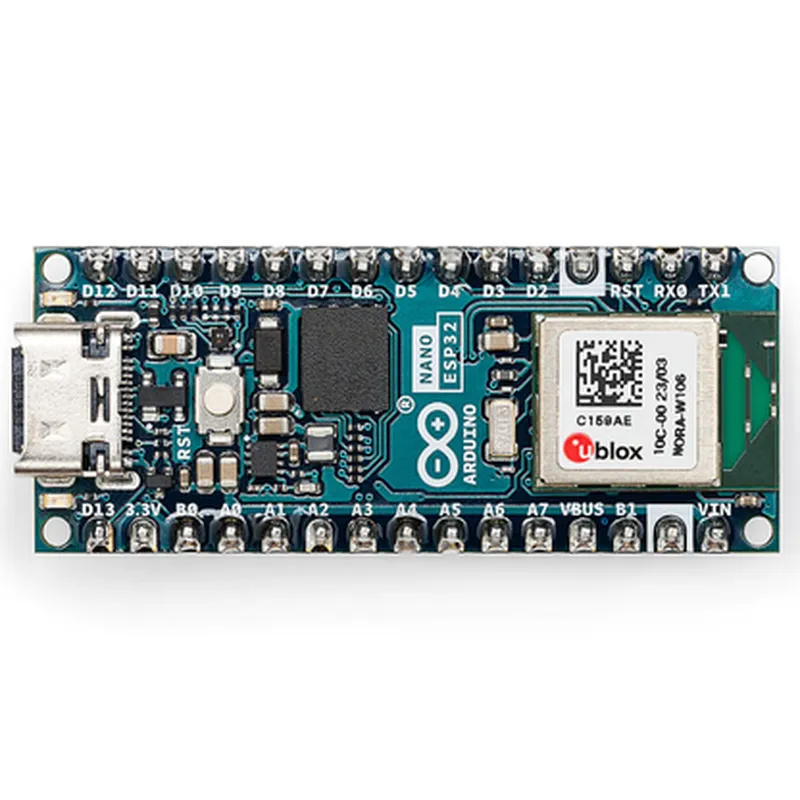
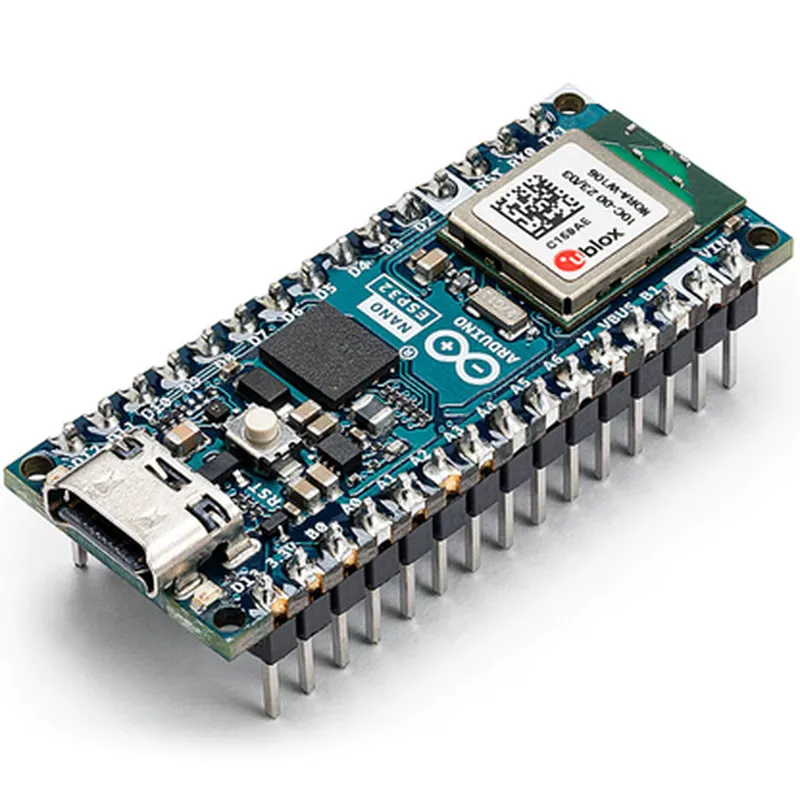
Arduino NANO ESP32 with Headers DocumentationOverviewThe Arduino NANO ESP32 with Headers is a compact and versatile microcontroller board that combines the power of ESP32 with the popularity of Arduino's Nano form factor. This board is ideal for IoT projects requiring Wi-Fi and Bluetooth connectivity, as well as flexible digital and analog I/O capabilities.Technical SpecificationsMicrocontroller: ESP32-D0WDQ6 (Dual Core, 32-bit LX6)
Operating Frequency: 160 MHz
Flash Memory: 4 MB
SRAM: 520 KB
Wi-Fi: 802.11 b/g/n
Bluetooth: 4.2
Digital I/O: 22 (GPIOs)
Analog I/O: 16 (ADC Channels), 2 (DAC Channels)
Communication Interfaces: USB, UART, SPI, I2C, I2S, CAN, IR, and more
Operating Voltage: 3.3V (recommended), 2.5V to 3.6V (allowed)
Dimensions: 45mm x 18mmCode ExamplesHere are three code examples that demonstrate the capabilities of the Arduino NANO ESP32 with Headers:Example 1: Connecting to Wi-Fi and Sending Data to a ServerThis example shows how to connect to a Wi-Fi network and send data to a server using the ESP32's built-in Wi-Fi capabilities.
```c
#include <WiFi.h>const char ssid = "your_wifi_ssid";
const char password = "your_wifi_password";
const char serverUrl = "http://example.com/data";WiFiClient client;void setup() {
Serial.begin(115200);
WiFi.begin(ssid, password);
while (WiFi.status() != WL_CONNECTED) {
delay(1000);
Serial.println("Connecting to Wi-Fi...");
}
Serial.println("Connected to Wi-Fi");
Serial.println("Initializing connection to server...");
}void loop() {
if (WiFi.status() == WL_CONNECTED) {
HTTPClient http;
http.begin(client, serverUrl);
http.addHeader("Content-Type", "application/x-www-form-urlencoded");
int httpResponseCode = http.POST("data=hello+world");
if (httpResponseCode > 0) {
Serial.println("Data sent successfully!");
} else {
Serial.println("Error sending data:");
Serial.println(http.errorString(httpResponseCode));
}
http.end();
} else {
Serial.println("Error: Not connected to Wi-Fi");
}
delay(10000);
}
```
Example 2: Reading Analog Input and Sending Data to a Serial TerminalThis example demonstrates how to read analog input from a connected sensor and send the data to a serial terminal using the Arduino Serial library.
```c
const int analogInputPin = A0; // Pin connected to sensorvoid setup() {
Serial.begin(115200);
}void loop() {
int sensorValue = analogRead(analogInputPin);
float voltage = (sensorValue 3.3) / 1024.0;
Serial.print("Sensor Value: ");
Serial.print(sensorValue);
Serial.print(" Voltage: ");
Serial.println(voltage);
delay(500);
}
```
Example 3: Controlling a Digital Output using Bluetooth Low Energy (BLE)This example shows how to use the ESP32's built-in BLE capabilities to control a digital output (e.g., an LED) from a mobile device using a BLE app.
```c
#include <BLE.h>const char deviceName = "ESP32_LED_Controller";
const char uuid_Service = "49535343-FE7D-4AE5-8FA9-9FAFD205E455";
const char uuid_Characteristic = "49535343-1E7D-4AE5-8FA9-9FAFD205E455";BLEServer server;
BLEService service;
BLECharacteristic characteristic;const int ledPin = 2; // Pin connected to LEDvoid setup() {
Serial.begin(115200);
pinMode(ledPin, OUTPUT);
BLEDevice::init(deviceName);
server = BLEDevice::createServer();
service = server->createService(uuid_Service);
characteristic = service->createCharacteristic(uuid_Characteristic, BLECharacteristic::PROPERTY_READ | BLECharacteristic::PROPERTY_WRITE);
server->start();
Serial.println("BLE server started");
}void loop() {
BLEClient client = server->available();
if (client) {
if (client->isConnected()) {
String value = characteristic->getValue();
if (value == "1") {
digitalWrite(ledPin, HIGH);
} else {
digitalWrite(ledPin, LOW);
}
}
}
delay(50);
}
```
These examples demonstrate the Arduino NANO ESP32 with Headers' capabilities in various contexts, including Wi-Fi connectivity, analog input, and BLE communication.