Stufin
Home Quick Cart Profile

CD4060 - 14 stage Ripple Carry Binary Counter IC

Buy Now on Stufin

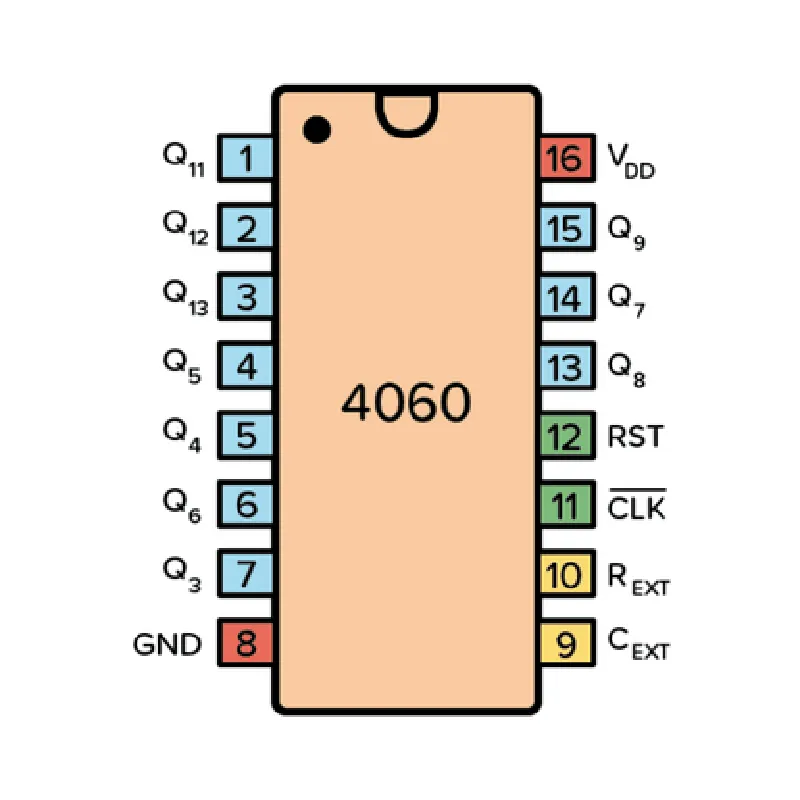
Pin Configuration

  • CD4060 - 14 Stage Ripple Carry Binary Counter IC
  • =====================================================
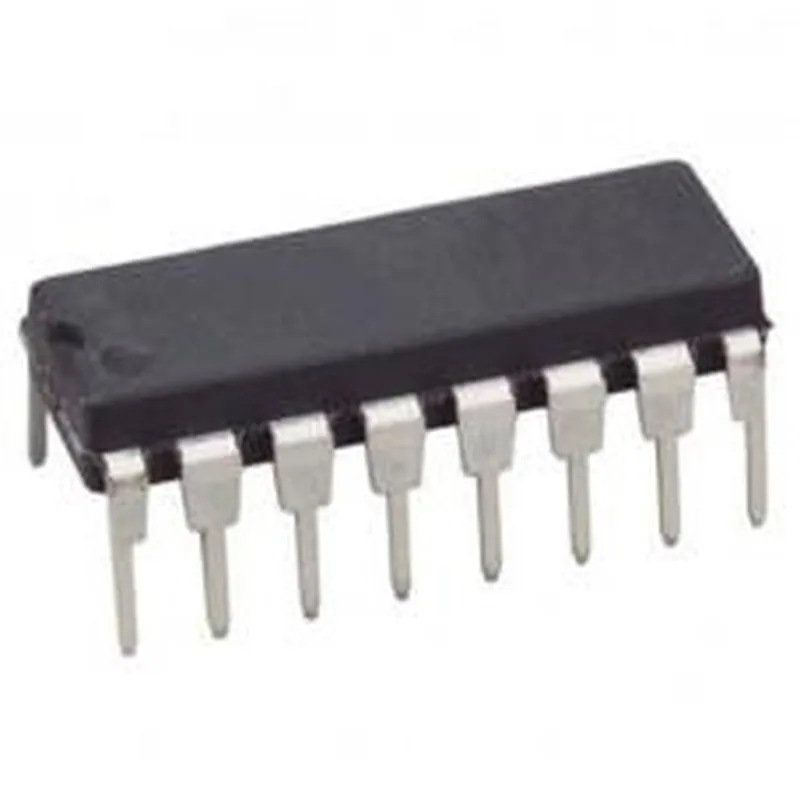
  • The CD4060 is a 14-stage ripple-carry binary counter integrated circuit (IC) that counts the number of clock pulses applied to its input. It is a widely used component in digital electronics and IoT applications. Here's a detailed explanation of the CD4060's pins and how to connect them:
  • Pin Description:
  • --------------------
  • The CD4060 IC has 16 pins, which are explained below:
  • Pin 1: VCC (Positive Supply Voltage)
  • --------------------------------------
  • Function: Positive power supply pin
  • Description: Connect to a positive voltage supply (usually +5V or +3.3V) to power the IC.
  • Recommended connection: Connect to a regulated power supply (e.g., 7805 or 1117) or a battery with a decoupling capacitor (e.g., 100nF).
  • Pin 2: Clock Input (CLK)
  • ---------------------------
  • Function: Clock input pin
  • Description: Apply a clock signal to this pin to increment the counter.
  • Recommended connection: Connect to a clock generator (e.g., a crystal oscillator or a function generator) or a digital signal source.
  • Pin 3: Reset (RST)
  • --------------------
  • Function: Reset pin
  • Description: When this pin is pulled low (connected to GND), the counter resets to zero.
  • Recommended connection: Connect to a pull-up resistor (e.g., 1k) and a switch or a logic gate to generate a reset signal.
  • Pin 4: Q1 (Binary Output)
  • -------------------------
  • Function: Binary output pin (Q1)
  • Description: Output of the first stage of the counter (LSB).
  • Recommended connection: Connect to a logic gate, a microcontroller, or a display driver to process the output signal.
  • Pin 5: Q2 (Binary Output)
  • -------------------------
  • Function: Binary output pin (Q2)
  • Description: Output of the second stage of the counter.
  • Recommended connection: Connect to a logic gate, a microcontroller, or a display driver to process the output signal.
  • Pin 6: Q3 (Binary Output)
  • -------------------------
  • Function: Binary output pin (Q3)
  • Description: Output of the third stage of the counter.
  • Recommended connection: Connect to a logic gate, a microcontroller, or a display driver to process the output signal.
  • Pin 7: Q4 (Binary Output)
  • -------------------------
  • Function: Binary output pin (Q4)
  • Description: Output of the fourth stage of the counter.
  • Recommended connection: Connect to a logic gate, a microcontroller, or a display driver to process the output signal.
  • Pin 8: Q5 (Binary Output)
  • -------------------------
  • Function: Binary output pin (Q5)
  • Description: Output of the fifth stage of the counter.
  • Recommended connection: Connect to a logic gate, a microcontroller, or a display driver to process the output signal.
  • Pin 9: Q6 (Binary Output)
  • -------------------------
  • Function: Binary output pin (Q6)
  • Description: Output of the sixth stage of the counter.
  • Recommended connection: Connect to a logic gate, a microcontroller, or a display driver to process the output signal.
  • Pin 10: Q7 (Binary Output)
  • -------------------------
  • Function: Binary output pin (Q7)
  • Description: Output of the seventh stage of the counter.
  • Recommended connection: Connect to a logic gate, a microcontroller, or a display driver to process the output signal.
  • Pin 11: Q8 (Binary Output)
  • -------------------------
  • Function: Binary output pin (Q8)
  • Description: Output of the eighth stage of the counter.
  • Recommended connection: Connect to a logic gate, a microcontroller, or a display driver to process the output signal.
  • Pin 12: Q9 (Binary Output)
  • -------------------------
  • Function: Binary output pin (Q9)
  • Description: Output of the ninth stage of the counter.
  • Recommended connection: Connect to a logic gate, a microcontroller, or a display driver to process the output signal.
  • Pin 13: Q10 (Binary Output)
  • -------------------------
  • Function: Binary output pin (Q10)
  • Description: Output of the tenth stage of the counter.
  • Recommended connection: Connect to a logic gate, a microcontroller, or a display driver to process the output signal.
  • Pin 14: Q11 (Binary Output)
  • -------------------------
  • Function: Binary output pin (Q11)
  • Description: Output of the eleventh stage of the counter.
  • Recommended connection: Connect to a logic gate, a microcontroller, or a display driver to process the output signal.
  • Pin 15: Q12 (Binary Output)
  • -------------------------
  • Function: Binary output pin (Q12)
  • Description: Output of the twelfth stage of the counter.
  • Recommended connection: Connect to a logic gate, a microcontroller, or a display driver to process the output signal.
  • Pin 16: GND (Ground)
  • -------------------
  • Function: Ground pin
  • Description: Connect to the ground plane or a negative power supply (if used).
  • Recommended connection: Connect to a robust ground plane or a negative power supply (e.g., -5V or -3.3V) to complete the circuit.
  • Connection Structure:
  • -------------------------
  • Here's a general connection structure for the CD4060 IC:
  • VCC (Pin 1) to Positive Power Supply (e.g., +5V)
  • GND (Pin 16) to Ground Plane or Negative Power Supply (e.g., -5V)
  • CLK (Pin 2) to Clock Generator or Digital Signal Source
  • RST (Pin 3) to Pull-up Resistor and Switch or Logic Gate (for reset)
  • Q1-Q12 (Pins 4-15) to Logic Gates, Microcontrollers, or Display Drivers (depending on the application)
  • Note:
  • Ensure proper decoupling capacitors (e.g., 100nF) are used between the power supply and the IC.
  • Use a bypass capacitor (e.g., 10uF) between the power supply and ground to reduce noise.
  • Always check the datasheet for specific connection requirements and recommendations for your particular application.

Code Examples

CD4060 - 14 Stage Ripple Carry Binary Counter IC Documentation
Overview
The CD4060 is a 14-stage ripple carry binary counter integrated circuit (IC) that is commonly used in digital circuits for counting and frequency division applications. This IC is a member of the 4000 series of CMOS (Complementary Metal-Oxide-Semiconductor) logic gates. The CD4060 is a versatile component that can be used in a variety of applications, including frequency counters, timer circuits, and sequential logic circuits.
Pinout
The CD4060 has a 16-pin DIP (Dual In-Line Package) package with the following pinout:
| Pin Number | Pin Name | Function |
| --- | --- | --- |
| 1 | VCC | Positive supply voltage |
| 2 | Q1 | Output of stage 1 |
| 3 | Q2 | Output of stage 2 |
| 4 | Q3 | Output of stage 3 |
| 5 | Q4 | Output of stage 4 |
| 6 | Q5 | Output of stage 5 |
| 7 | Q6 | Output of stage 6 |
| 8 | Q7 | Output of stage 7 |
| 9 | Q8 | Output of stage 8 |
| 10 | Q9 | Output of stage 9 |
| 11 | Q10 | Output of stage 10 |
| 12 | Q11 | Output of stage 11 |
| 13 | Q12 | Output of stage 12 |
| 14 | Q13 | Output of stage 13 |
| 15 | Q14 | Output of stage 14 |
| 16 | GND | Ground (Negative supply voltage) |
Code Examples
### Example 1: Simple Frequency Counter
In this example, the CD4060 is used to create a simple frequency counter that increments the count every time a clock pulse is received.
Circuit Diagram
Connect the clock signal to the input of the CD4060 (pin 1). Connect the output of each stage (Q1 to Q14) to an LED or a 7-segment display to display the count.
Code
Assuming we are using an Arduino board, the following code can be used to read the count and display it on an LCD display:
```c
const int clockPin = 2;  // Clock signal input
const int latchPin = 3;  // Latch output (not used in this example)
const int dataPins[] = {4, 5, 6, 7, 8, 9, 10, 11, 12, 13, 14};  // Output pins Q1 to Q14
void setup() {
  pinMode(clockPin, INPUT);
  for (int i = 0; i < 11; i++) {
    pinMode(dataPins[i], INPUT);
  }
  Serial.begin(9600);
}
void loop() {
  int count = 0;
  for (int i = 0; i < 11; i++) {
    if (digitalRead(dataPins[i]) == HIGH) {
      count += (1 << i);
    }
  }
  Serial.print("Count: ");
  Serial.println(count, DEC);
  delay(100);
}
```
### Example 2: Timer Circuit
In this example, the CD4060 is used to create a timer circuit that generates a pulse after a predetermined time interval.
Circuit Diagram
Connect the clock signal to the input of the CD4060 (pin 1). Connect the output of stage 10 (Q10) to a monostable multivibrator circuit (e.g., using a 555 timer IC) to generate a pulse. The pulse width can be adjusted by selecting different stages of the CD4060.
Code
Assuming we are using a Raspberry Pi, the following Python code can be used to generate a pulse after a predetermined time interval:
```python
import RPi.GPIO as GPIO
import time
GPIO.setmode(GPIO.BCM)
clockPin = 17  # Clock signal input
outputPin = 23  # Output pin (connected to Q10)
GPIO.setup(clockPin, GPIO.IN)
GPIO.setup(outputPin, GPIO.OUT)
def generate_pulse(interval):
  count = 0
  while count < interval:
    GPIO.output(outputPin, GPIO.HIGH)
    time.sleep(0.01)  # 10ms delay
    GPIO.output(outputPin, GPIO.LOW)
    time.sleep(0.01)  # 10ms delay
    count += 1
while True:
  generate_pulse(100)  # Generate a pulse every 1 second
```
Note: These examples are for illustrative purposes only and may require additional components and modifications to work in a real-world scenario.