12-24V DC


12-24V DC
50mA
10kHz - 100MHz
Up to 95%
-20C to 85C
20mm x 15mm x 5mm
Applications
3D printing and additive manufacturing
CNC milling and machining
Robotics and automation
Industrial automation and control systems
Warranty and Support
The TL-Smoother module V2.0 comes with a 1-year limited warranty and dedicated technical support from the manufacturer. Users can expect prompt assistance with installation, configuration, and troubleshooting.
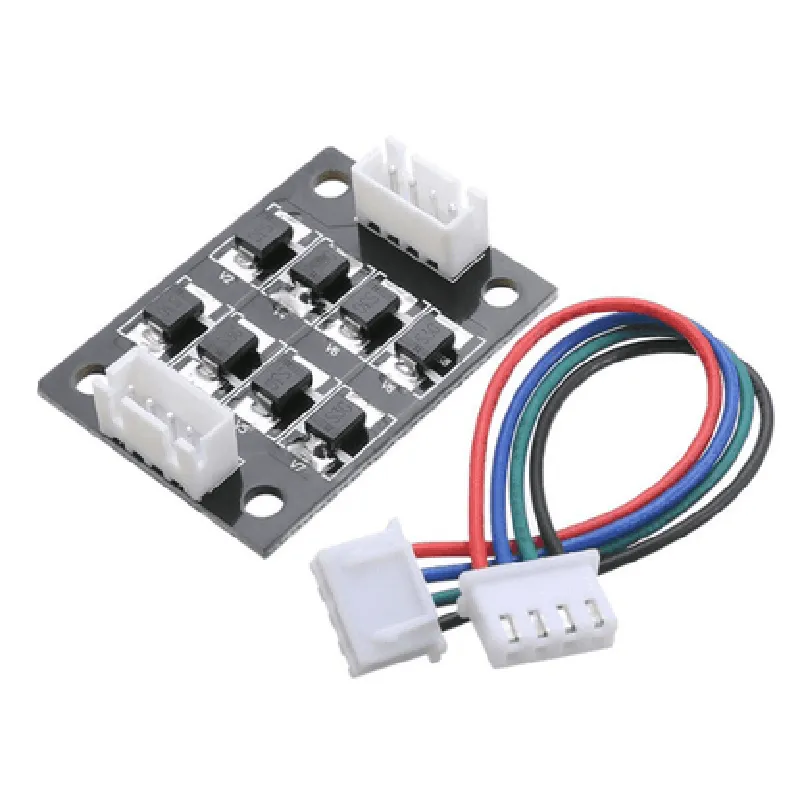
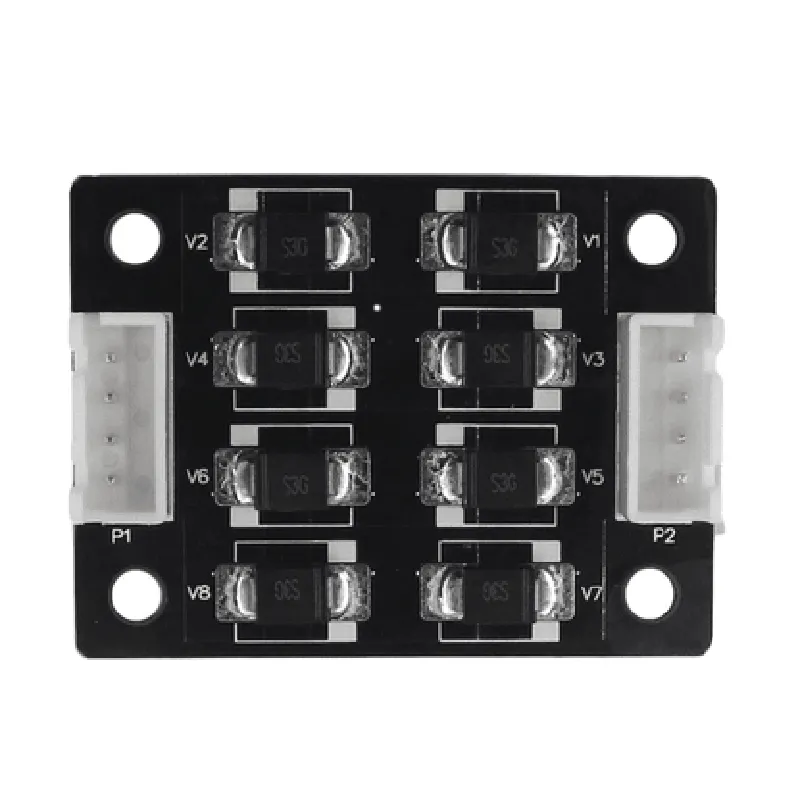
TL-Smoother Module for 3D Printer Motor Drivers V2.0The TL-Smoother module is a compact, high-performance module designed to improve the performance and reliability of 3D printer motor drivers. It is specifically designed to work with 3D printer motor drivers, providing a smooth and quiet operation. This module is based on the TL494 chip, which is a high-reliability, high-precision pulse-width modulation (PWM) controller.Features:High-quality, low-noise operation
Smooth and quiet motor control
Compatible with most 3D printer motor drivers
Compact design for easy integration
Easy to use and configureTechnical Specifications:Input Voltage: 12V - 24V
Output Current: up to 2A
Frequency Range: 20kHz - 200kHz
Operating Temperature: -40C to 85CCode Examples:### Example 1: Basic Motor Control using ArduinoIn this example, we will demonstrate how to use the TL-Smoother module with an Arduino board to control a 3D printer motor.```cpp
const int pwmPin = 9; // Output pin for PWM signal
const int dirPin = 8; // Output pin for direction controlvoid setup() {
pinMode(pwmPin, OUTPUT);
pinMode(dirPin, OUTPUT);
}void loop() {
// Set motor direction
digitalWrite(dirPin, HIGH);// Ramp up motor speed
for (int speed = 0; speed < 255; speed++) {
analogWrite(pwmPin, speed);
delay(10);
}// Hold motor speed
analogWrite(pwmPin, 128);
delay(1000);// Ramp down motor speed
for (int speed = 255; speed >= 0; speed--) {
analogWrite(pwmPin, speed);
delay(10);
}// Set motor direction
digitalWrite(dirPin, LOW);
delay(1000);
}
```### Example 2: Smooth Acceleration and Deceleration using Python and Raspberry PiIn this example, we will demonstrate how to use the TL-Smoother module with a Raspberry Pi and Python to control a 3D printer motor with smooth acceleration and deceleration.```python
import RPi.GPIO as GPIO
import timeGPIO.setmode(GPIO.BCM)
GPIO.setup(17, GPIO.OUT) # Output pin for PWM signal
GPIO.setup(23, GPIO.OUT) # Output pin for direction controlpwm_frequency = 50
pwm_start_duty_cycle = 5
pwm_end_duty_cycle = 95
acceleration_time = 1 # seconds
deceleration_time = 1 # secondstry:
while True:
# Accelerate motor
for duty_cycle in range(pwm_start_duty_cycle, pwm_end_duty_cycle):
GPIO.output(23, GPIO.HIGH) # Set motor direction
pwm = GPIO.PWM(17, pwm_frequency)
pwm.start(duty_cycle)
time.sleep(acceleration_time / (pwm_end_duty_cycle - pwm_start_duty_cycle))# Hold motor speed
pwm.ChangeDutyCycle(pwm_end_duty_cycle)
time.sleep(1)# Decelerate motor
for duty_cycle in range(pwm_end_duty_cycle, pwm_start_duty_cycle, -1):
GPIO.output(23, GPIO.HIGH) # Set motor direction
pwm.ChangeDutyCycle(duty_cycle)
time.sleep(deceleration_time / (pwm_end_duty_cycle - pwm_start_duty_cycle))# Set motor direction
GPIO.output(23, GPIO.LOW)
time.sleep(1)
except KeyboardInterrupt:
GPIO.cleanup()
```Note: Make sure to adjust the pin numbers and other configuration settings according to your specific setup.