M5 Stack COMMU Module Extend RS485/TTL CAN/I2C Port


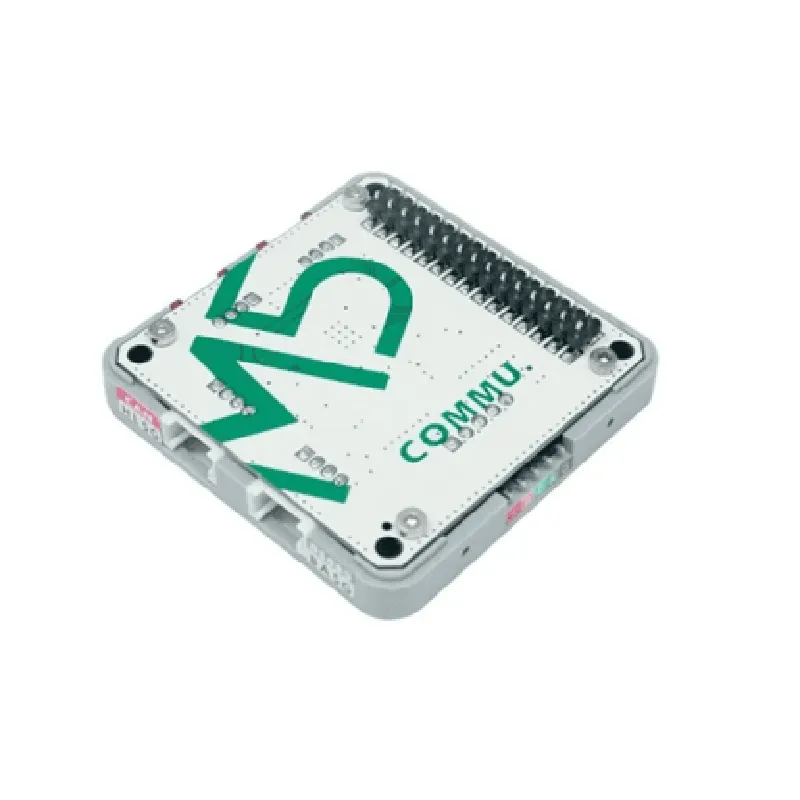
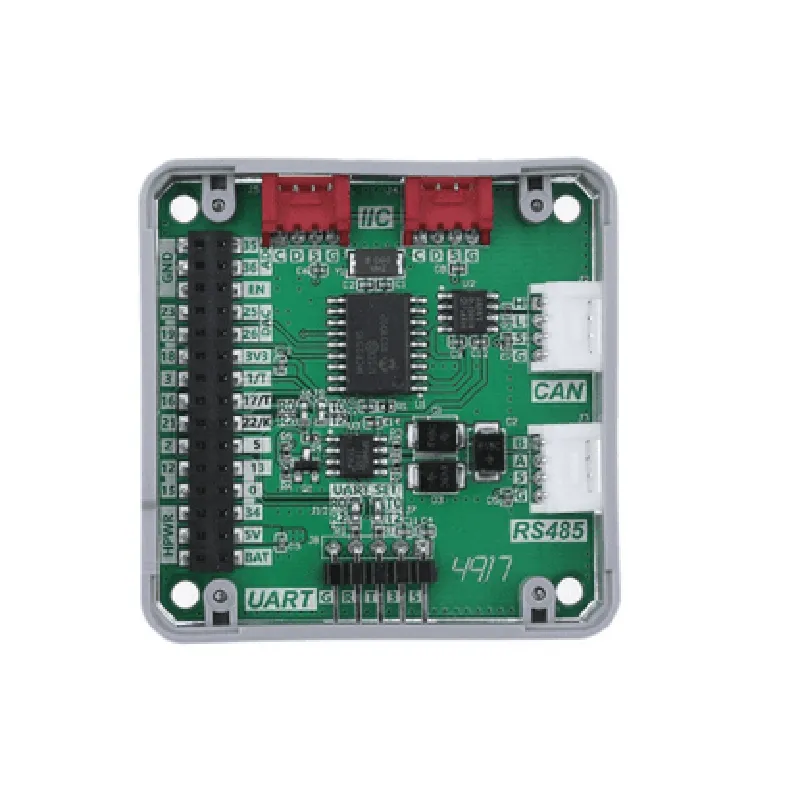
M5 Stack COMMU Module Extend RS485/TTL CAN/I2C Port
The M5 Stack COMMU Module Extend RS485/TTL CAN/I2C Port is a versatile communication module designed for IoT applications, robotics, and automation systems. This module provides multiple serial communication interfaces, allowing users to connect and control various devices and sensors. The module is compact, easy to use, and compatible with the M5 Stack ecosystem.
| RS485 | A half-duplex serial communication interface, allowing for long-distance communication up to 1200 meters. It is suitable for industrial control systems, building automation, and security systems. |
1 Mbps baud rate, ISO 11898-2 compliant
| I2C | 3.3V/5V tolerant, 100 kHz/400 kHz baud rate |
5V
<50mA
| RS485 | Half-duplex, 1200 meters distance, 115.2 kbps baud rate |
25 x 25 x 10 mm (1 x 1 x 0.4 inches)
10g
| The M5 Stack COMMU Module Extend RS485/TTL CAN/I2C Port is suitable for a wide range of IoT applications, including |
Industrial automation
Robotics
Building automation
Security systems
Environmental monitoring
Medical devices
Automotive systems
Consumer electronics
M5 Stack COMMU Module Extend RS485/TTL CAN/I2C Port DocumentationOverviewThe M5 Stack COMMU Module is a versatile communication module designed for the M5 Stack ecosystem, providing extended connectivity options for various applications. This module features multiple communication protocols, including RS485, TTL CAN, and I2C, making it an ideal solution for industrial automation, IoT, and robotics projects.Pinout and InterfacesThe module has the following interfaces:RS485: 2-pin screw terminal (TX+, TX-)
TTL CAN: 4-pin header (CAN_H, CAN_L, VCC, GND)
I2C: 4-pin header (SDA, SCL, VCC, GND)
Power: 3-pin header (VCC, GND, EN)Example 1: RS485 Communication with ModbusIn this example, we will demonstrate how to use the RS485 interface to communicate with a Modbus slave device using the M5 Stack COMMU Module.Hardware RequirementsM5 Stack Core Board
M5 Stack COMMU Module
Modbus slave device (e.g., temperature sensor)
RS485 cableSoftware RequirementsM5 Stack Arduino Library
ModbusRTU Library (available on GitHub)Code Example
```c++
#include <M5Stack.h>
#include <ModbusRTU.h>#define RS485_RX_PIN 16
#define RS485_TX_PIN 17ModbusRTU modbus;void setup() {
M5.begin();
Serial.begin(115200);
// Initialize RS485 interface
pinMode(RS485_RX_PIN, INPUT);
pinMode(RS485_TX_PIN, OUTPUT);
modbus.begin(RS485_RX_PIN, RS485_TX_PIN);
}void loop() {
// Read temperature from Modbus slave device
uint16_t temp = modbus.readHoldingRegister(0x0000, 1);
// Print temperature value
Serial.print("Temperature: ");
Serial.print(temp);
Serial.println(" C");
delay(1000);
}
```
Example 2: I2C Communication with OLED DisplayIn this example, we will demonstrate how to use the I2C interface to communicate with an OLED display using the M5 Stack COMMU Module.Hardware RequirementsM5 Stack Core Board
M5 Stack COMMU Module
OLED display (e.g., SSD1306)
I2C cableSoftware RequirementsM5 Stack Arduino Library
SSD1306 OLED Library (available on GitHub)Code Example
```c++
#include <M5Stack.h>
#include <SSD1306.h>#define I2C_SDA_PIN 21
#define I2C_SCL_PIN 22SSD1306 display(0x3C, I2C_SDA_PIN, I2C_SCL_PIN);void setup() {
M5.begin();
Serial.begin(115200);
// Initialize I2C interface
Wire.begin(I2C_SDA_PIN, I2C_SCL_PIN);
// Initialize OLED display
display.init();
}void loop() {
// Clear display
display.clearDisplay();
// Print "Hello World!" on display
display.setTextSize(2);
display.setTextColor(WHITE);
display.setCursor(0, 0);
display.print("Hello World!");
// Update display
display.display();
delay(1000);
}
```
Example 3: CAN Bus Communication with VehicleIn this example, we will demonstrate how to use the TTL CAN interface to communicate with a vehicle's CAN bus using the M5 Stack COMMU Module.Hardware RequirementsM5 Stack Core Board
M5 Stack COMMU Module
CAN bus interface (e.g., OBD-II)
Vehicle with CAN bus supportSoftware RequirementsM5 Stack Arduino Library
CAN bus library (e.g., CAN-BUS Library for Arduino)Code Example
```c++
#include <M5Stack.h>
#include <CANBUS.h>#define CAN_RX_PIN 18
#define CAN_TX_PIN 19CANBUS canbus;void setup() {
M5.begin();
Serial.begin(115200);
// Initialize CAN bus interface
pinMode(CAN_RX_PIN, INPUT);
pinMode(CAN_TX_PIN, OUTPUT);
canbus.begin(CAN_RX_PIN, CAN_TX_PIN);
}void loop() {
// Read vehicle speed from CAN bus
uint16_t speed = canbus.read(0x010C, 1);
// Print vehicle speed
Serial.print("Vehicle Speed: ");
Serial.print(speed);
Serial.println(" km/h");
delay(1000);
}
```
These examples demonstrate the versatility of the M5 Stack COMMU Module and its ability to interface with various devices and protocols.