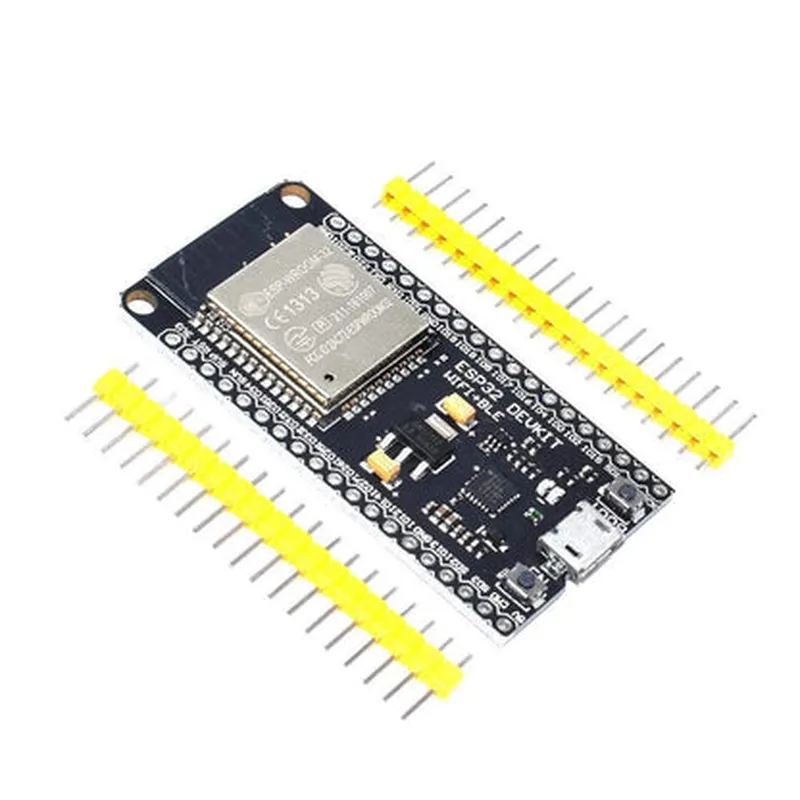
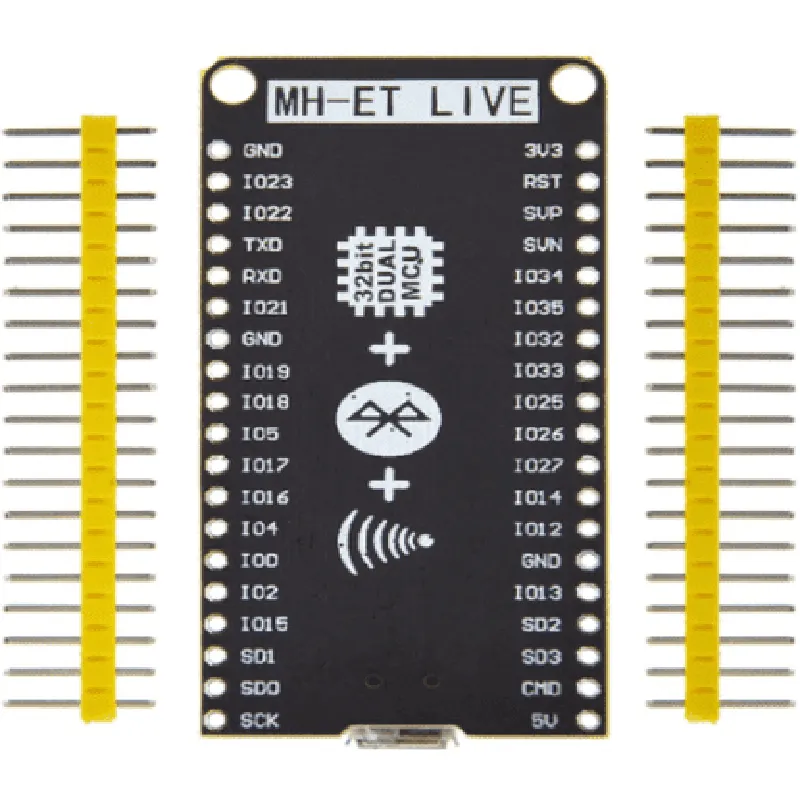
ESP32 MH-ET Live Module Documentation
The ESP32 MH-ET Live Module is a compact, low-power system on a module (SoM) that integrates the ESP32 Wi-Fi and Bluetooth SoC, flash memory, and peripherals. This module is suitable for IoT applications, robotics, and wearable devices, offering a balance of performance, power consumption, and cost.
Microcontroller: ESP32-D0WDQ6
 Wi-Fi: 802.11 b/g/n
 Bluetooth: Bluetooth 4.2
 Flash Memory: 4MB
 Operating Frequency: 80 MHz to 240 MHz
 Operating Voltage: 3.3V
 Interfaces: SPI, I2C, I2S, UART, GPIO
### Example 1: Wi-Fi Connection and LED Blinking
This example demonstrates how to connect to a Wi-Fi network and control an LED using the ESP32 MH-ET Live Module.
const char ssid = "your_ssid"; // Replace with your Wi-Fi network name
const char password = "your_password"; // Replace with your Wi-Fi network password
const int ledPin = 2; // Pin connected to an LED
void setup() {
  Serial.begin(115200);
// Initialize LED pin as an output
  pinMode(ledPin, OUTPUT);
// Connect to Wi-Fi
  WiFi.begin(ssid, password);
  while (WiFi.status() != WL_CONNECTED) {
    delay(1000);
    Serial.println("Connecting to WiFi...");
  }
Serial.println("Connected to WiFi");
  Serial.println("Initializing LED...");
}
void loop() {
  digitalWrite(ledPin, HIGH);
  delay(1000);
  digitalWrite(ledPin, LOW);
  delay(1000);
}
```
### Example 2: Bluetooth Low Energy (BLE) Peripheral
This example demonstrates how to use the ESP32 MH-ET Live Module as a BLE peripheral, advertising a service and characteristic.
// Define BLE service and characteristic UUIDs
const char serviceUUID = "0000ffe0-0000-1000-8000-00805f9b34fb";
const char characteristicUUID = "0000ffe1-0000-1000-8000-00805f9b34fb";
void setup() {
  Serial.begin(115200);
// Initialize BLE
  BLE.init();
  BLE.setLocalName("ESP32_MH_ET_Peripheral");
// Create BLE service and characteristic
  BLEService service = BLE.service(serviceUUID);
  BLECharacteristic characteristic = service->characteristic(characteristicUUID);
// Start advertising BLE service
  BLE.advertise();
  Serial.println("BLE Advertising Started...");
}
void loop() {
  // Wait for a client to connect
  BLE.central();
  Serial.println("BLE Client Connected...");
}
```
### Example 3: I2C Communication with a Sensor
This example demonstrates how to use the ESP32 MH-ET Live Module to communicate with an I2C sensor, such as a temperature and humidity sensor.
const int sensorAddress = 0x40; // Replace with the I2C address of your sensor
void setup() {
  Serial.begin(115200);
// Initialize I2C
  Wire.begin();
  Wire.setClock(400000); // Set I2C clock speed to 400 kHz
}
void loop() {
  // Request data from the sensor
  Wire.beginTransmission(sensorAddress);
  Wire.write(0x00); // Register address for temperature data
  Wire.endTransmission();
// Read data from the sensor
  Wire.requestFrom(sensorAddress, 2);
  int temperature = Wire.read() << 8 | Wire.read();
Serial.print("Temperature: ");
  Serial.println(temperature);
  delay(1000);
}
```
These examples demonstrate the versatility of the ESP32 MH-ET Live Module and its capabilities in various IoT applications.